Outbound Campaigns & Dialer
Orbit's outbound dialer runs calling campaigns: upload a contact list, attach it to a campaign, choose how aggressively to dial, and Orbit works the list — from a human-paced preview card all the way up to automated predictive pacing, plus agentless voice broadcast. Agents can also dial any number manually from the softphone. Every dial decision — including the ones Orbit refused to make — is compliance-checked and logged as evidence.
In the app: the Outbound menu — Campaigns, Contact Lists, DNC & Suppression — plus Compliance → Outbound Rules.
1. How a campaign works (the big picture)
Contact List (CSV upload → normalize → dedupe → DNC scrub → timezone)
      │  attach to campaign
      ▼
Campaign (dialing mode, queue, schedule, caller ID pool, dial rule)
      │  campaign active
      ▼
Compliance gate  ──blocked──►  logged as evidence (never dialed)
      │ pass                    (DNC · quiet hours · attempt cap · RND · consent)
      ▼
  ┌─ preview ────► agent reviews a card, presses Call
  ├─ progressive/power ─► Orbit dials the customer, catches an agent on answer
  ├─ predictive ─► Orbit paces ahead of agent availability
  └─ agentless ──► Orbit plays a message / flow, no agent
      ▼
Live call (recorded / transcribed / scored like any other call)
      ▼
Agent picks a disposition → callback / retry / DNC / done
Key ideas:
- Agents come from a queue. For agent-handled modes, a campaign points at one of your queues; agents staffing that queue receive the work.
- Compliance is fail-closed. A contact that can't pass the rules (DNC, quiet hours, attempt caps, reassigned-number check, consent) is not dialed — the block is recorded with the reason, so you can prove why a number wasn't called.
- A campaign call is a normal call. Once bridged, everything applies: recording, transcription, sentiment, QA, Call Records.
2. Dialing modes
The dialing mode decides how the campaign turns contacts into calls. Pick it on the campaign's Settings tab.
| Mode | How it dials | Best for |
|---|---|---|
| Preview | Orbit offers each contact to an agent as a card; the agent reviews and presses Call. A human initiates every call. | Compliance-sensitive lists, complex/high-value calls, the safest starting point. |
| Progressive (1:1) | When an agent is free, Orbit automatically dials one customer and connects the agent on answer. | Steady throughput without over-dialing. |
| Power (over-dial) | Dials more than one customer per free agent (you set the ratio). Extra answers with no agent become abandoned and hear a safe-harbor message. | Higher throughput when answer rates are low — under close abandonment control. |
| Predictive | Paces ahead of agent availability using the measured answer rate, capped by a hard over-dial limit. | Large teams with big lists (needs a minimum agent count — see below). |
| Agentless (voice broadcast) | No agent. On answer Orbit plays a message or runs an outbound call flow. | Reminders/notifications to contacts who have consented to prerecorded voice. |
Progressive, power, and predictive are auto-dialing modes: they require
outbound_progressive_enabled on the account, and they enforce the FCC 3%
abandonment limit (§7). Predictive additionally needs a minimum number of
signed-in agents (below that it automatically drops to progressive 1:1) and is
intended only for lists with verified consent. Agentless legally
requires prerecorded-voice marketing consent on every contact — Orbit
blocks contacts that don't have it.
3. Campaigns
Outbound → Campaigns lists your campaigns with live counters.
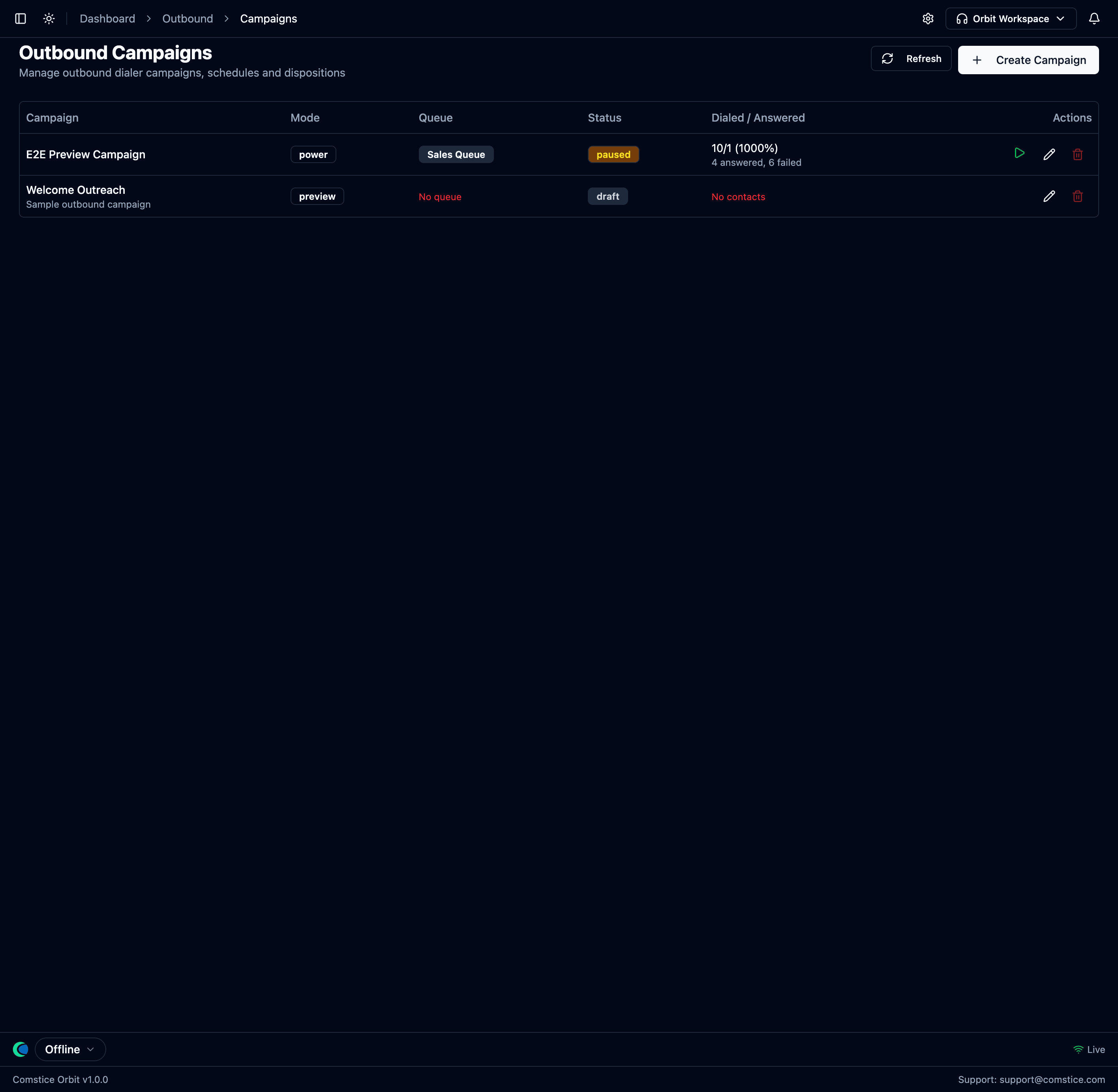 Each campaign shows its dialing mode, the queue feeding it agents, its status,
and a live Dialed / Answered counter.
Each campaign shows its dialing mode, the queue feeding it agents, its status,
and a live Dialed / Answered counter.
A campaign moves through draft → active → paused → completed / cancelled. Start / Pause / Stop control it — pausing withdraws pending work but never cuts a call already in progress.
The campaign detail page
Open a campaign to get its tabs: Overview, Settings, Dispositions, Contacts, and Caller IDs.
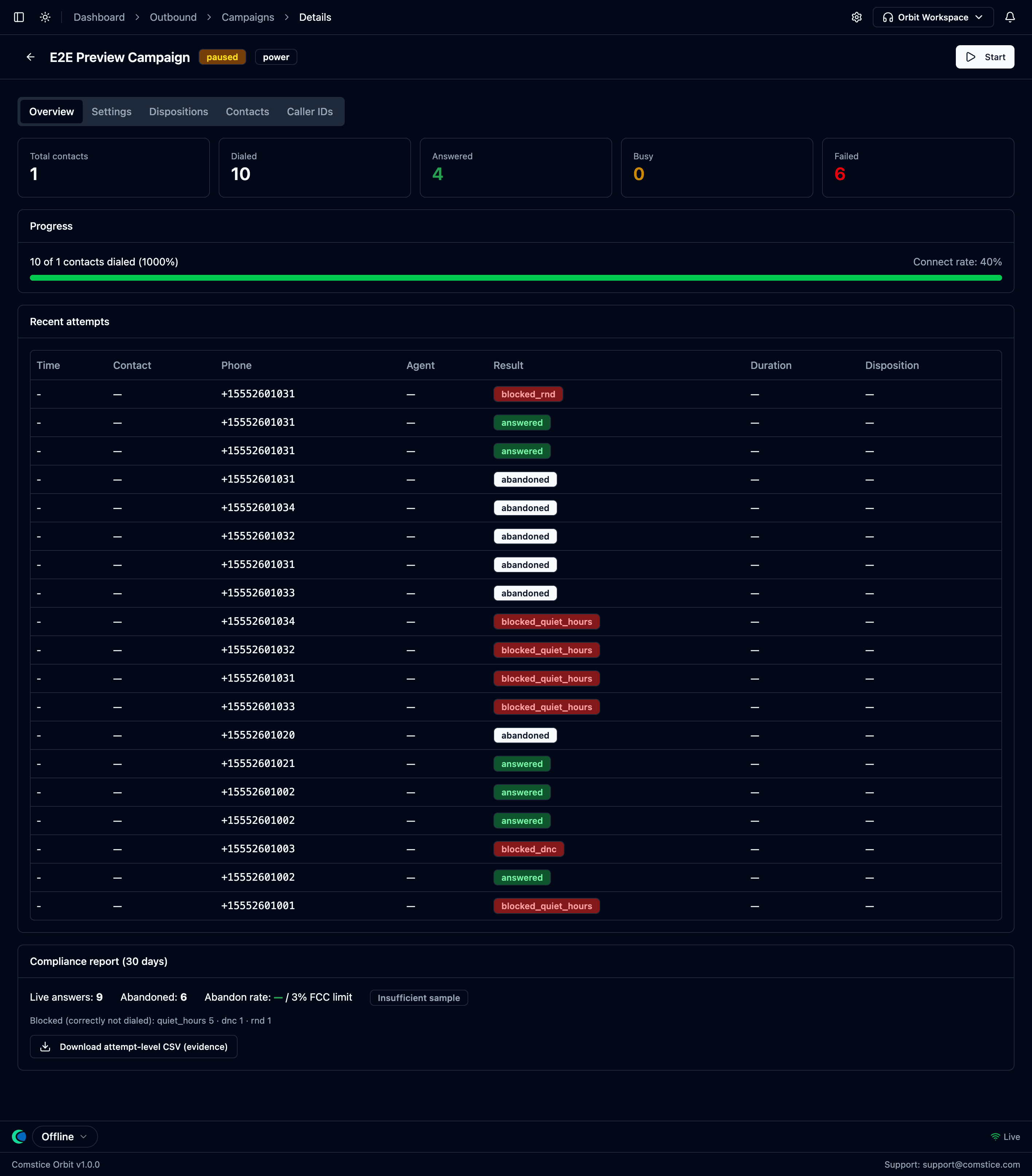 Overview: dialed / answered / busy / failed counters, a progress bar with
connect rate, the recent attempts table (note the
Overview: dialed / answered / busy / failed counters, a progress bar with
connect rate, the recent attempts table (note the blocked_dnc,
blocked_quiet_hours and abandoned rows — refused and abandoned calls are
logged too), and a Compliance report (30 days) card with the abandon rate
against the 3% FCC line and a Download attempt-level CSV (evidence) button.
Campaign settings
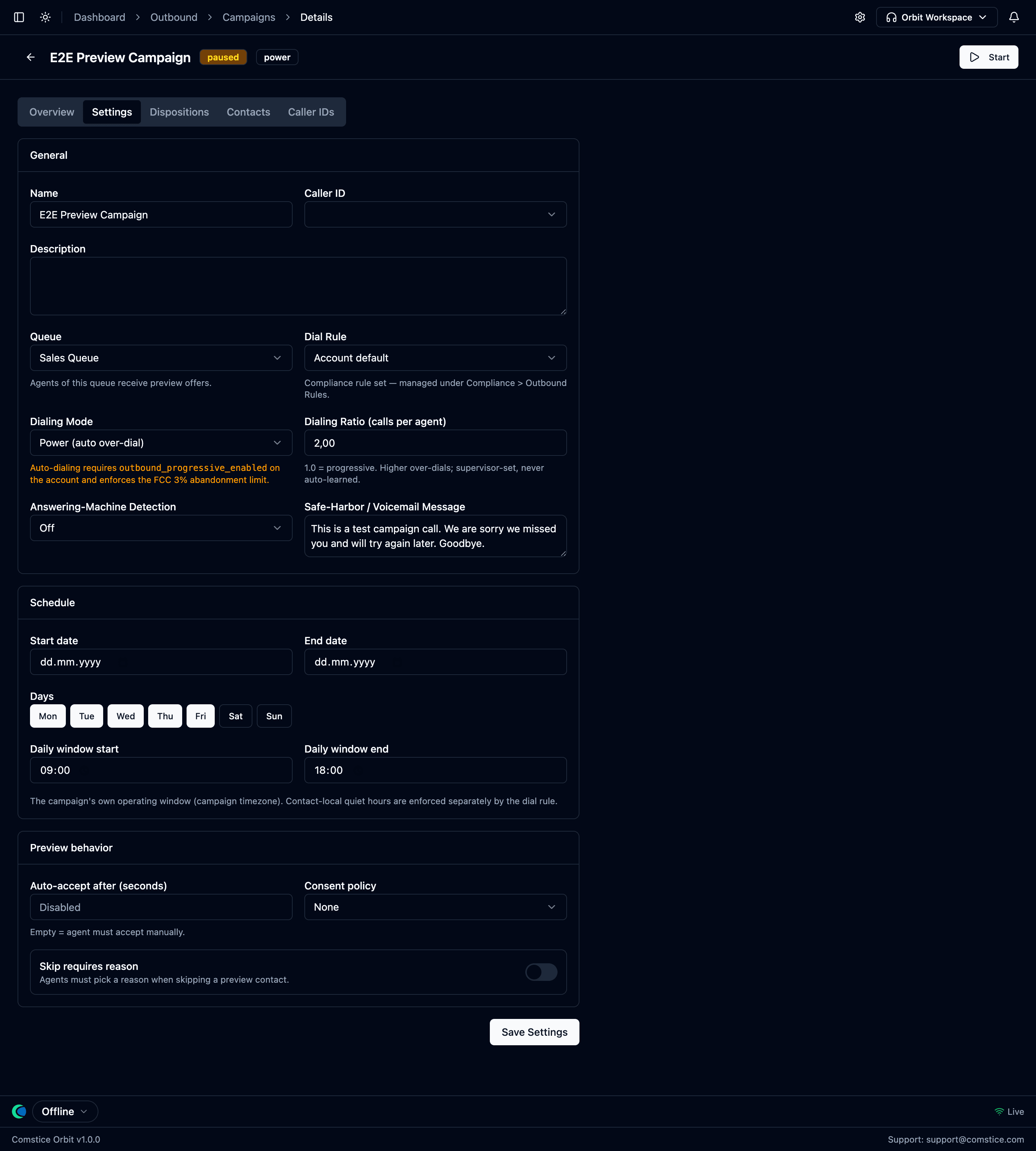 General (name, caller ID, queue, dial rule, dialing mode + ratio,
answering-machine detection, safe-harbor / voicemail message),
Schedule, and Preview behavior.
General (name, caller ID, queue, dial rule, dialing mode + ratio,
answering-machine detection, safe-harbor / voicemail message),
Schedule, and Preview behavior.
| Setting | What it does |
|---|---|
| Name / Description | Label the campaign. |
| Caller ID | The number presented to the called party (one of your phone numbers) — or, if you build a Caller ID pool (§4), the pool rotates for you. |
| Queue | The queue whose agents handle this campaign. |
| Dial Rule | Which Outbound Rules set governs dialing — or the account default. |
| Dialing Mode | Preview / Progressive / Power / Predictive / Agentless (§2). |
| Dialing Ratio | Calls per free agent. 1.0 = progressive; higher = power over-dial. Supervisor-set — Orbit never auto-learns it. |
| Answering-Machine Detection | Off, Detect (hang up on machines), or Detect + Voicemail (leave a message where consent allows). |
| Safe-Harbor / Voicemail Message | The FCC safe-harbor message played to an answered call that can't be connected to an agent in time (and the voicemail message for AMD). |
| Schedule | The campaign's own operating window (dates, days, daily time window) in the campaign timezone — separate from per-contact quiet hours. |
| Auto-accept / Consent policy / Skip reason | Preview-mode behavior: auto-accept countdown, require marketing consent before dialing, force a skip reason. |
To run your first campaign:
- Upload a contact list (§5) and wait for ready.
- Create Campaign → name it, pick the queue and caller ID.
- Choose a dialing mode — start with Preview.
- Attach the list on Contacts; review Dispositions (§8) and the dial rule (§6).
- Press Start.
4. Caller IDs (number rotation)
The Caller IDs tab gives a campaign a pool of outbound numbers instead of a single caller ID.
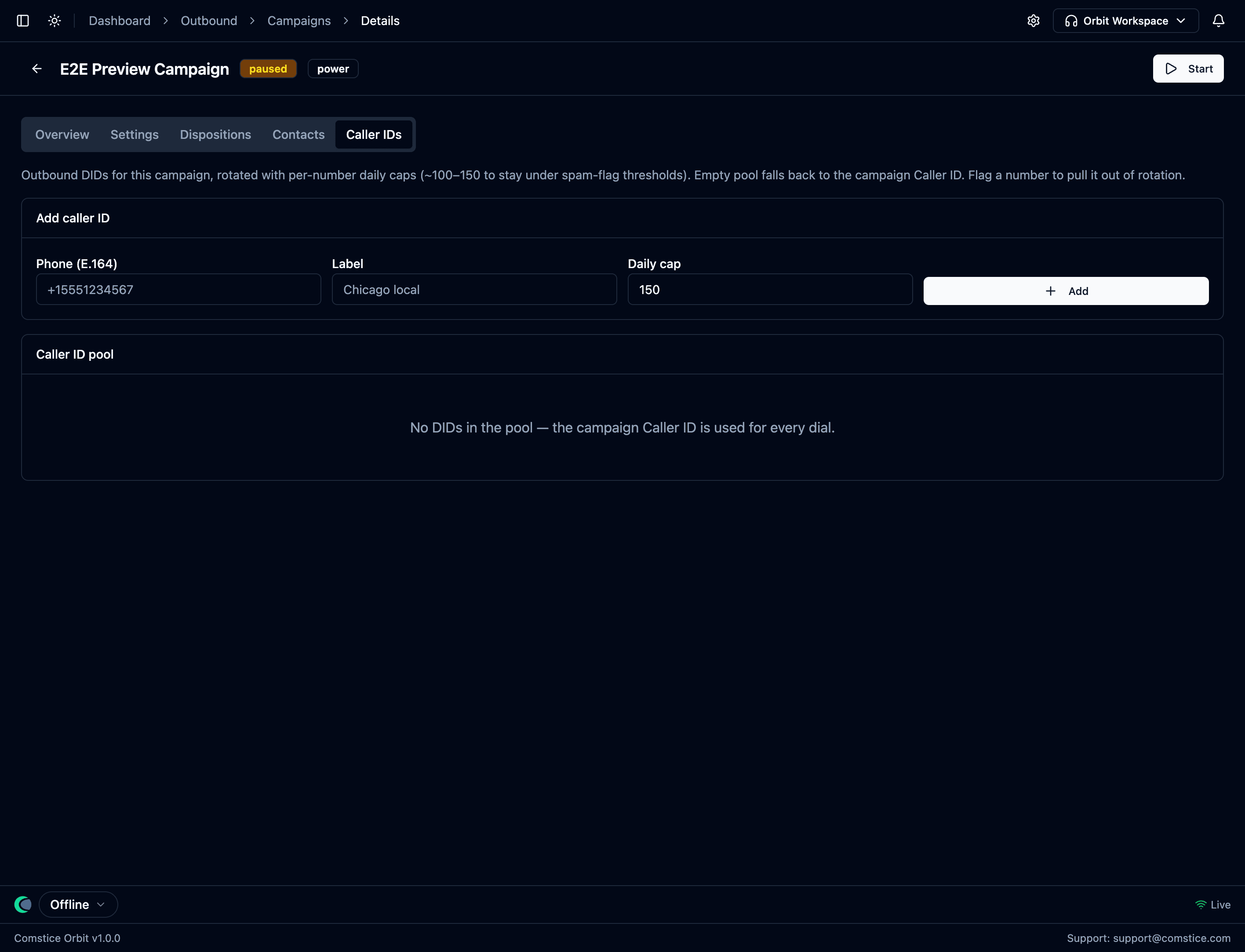 Add DIDs with a label and a per-number daily cap; Orbit rotates them and pulls
any flagged number out of rotation. An empty pool falls back to the campaign's
single Caller ID.
Add DIDs with a label and a per-number daily cap; Orbit rotates them and pulls
any flagged number out of rotation. An empty pool falls back to the campaign's
single Caller ID.
- Per-number daily cap (~100–150) keeps any one number under the volume that trips carrier spam-flag thresholds.
- Rotation is hygiene, not churn — Orbit spreads dials across the pool; it does not aggressively cycle numbers (which is itself a spam signal).
- Flagged numbers drop out. If number-reputation monitoring flags a DID as spam-likely, Orbit removes it from rotation automatically.
5. Contact Lists
Outbound → Contact Lists is where dialing lists live.
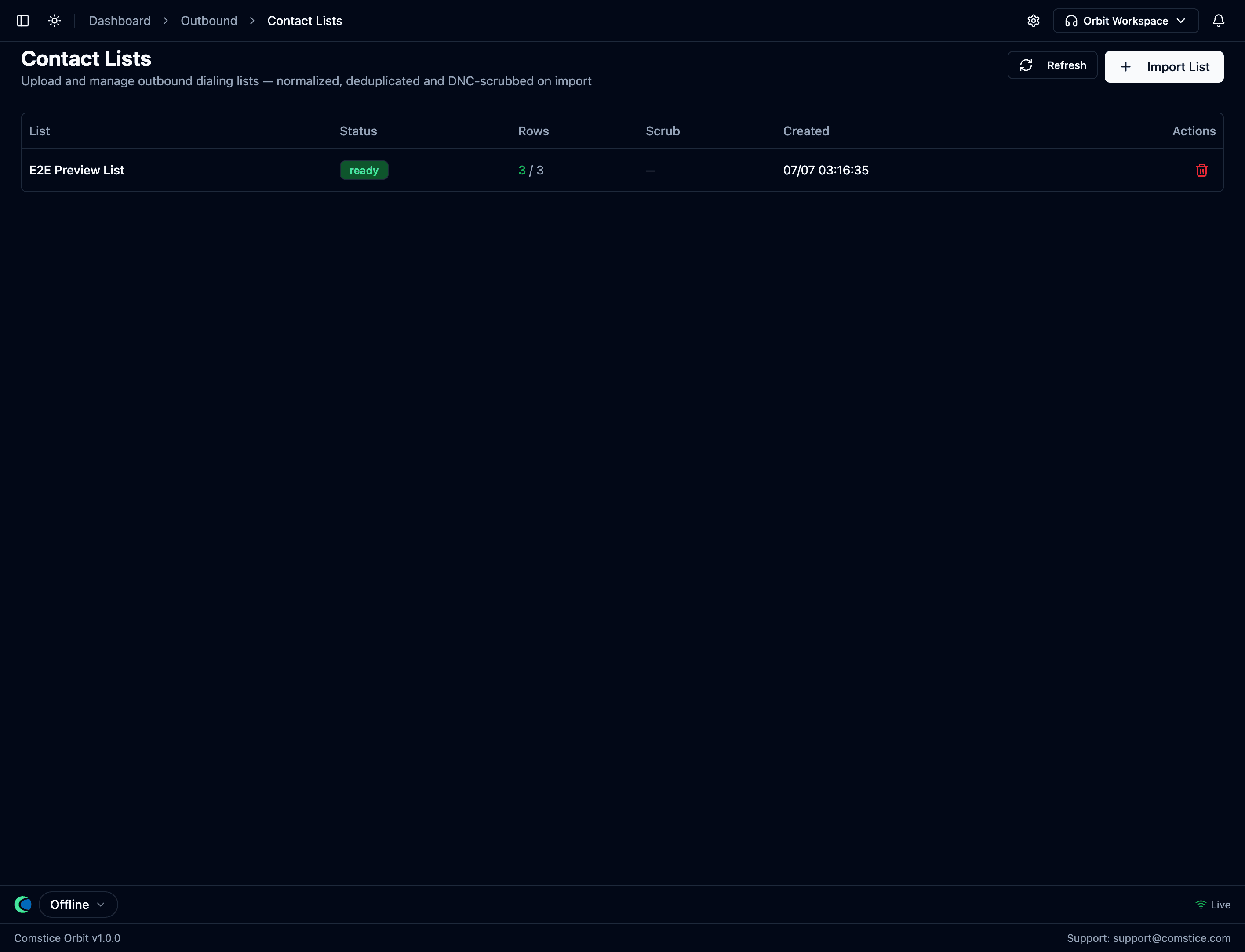 Lists with their processing status, row counts, and scrub results. Import is
server-side: normalize, dedupe, DNC-scrub.
Lists with their processing status, row counts, and scrub results. Import is
server-side: normalize, dedupe, DNC-scrub.
Import List uploads a CSV, processed on the server:
- Phone normalization to E.164; unparseable rows are rejected and counted.
- Deduplication — a number can't appear twice in one list.
- DNC scrub — numbers on your DNC list are excluded at import (and again at dial time).
- Timezone detection (from ZIP, or area code as fallback) so quiet hours run in the contact's local time; how it was determined is stored.
You get a scrub report — valid / rejected / duplicate / DNC-hit counts — so the list you attach is exactly the list that will be dialed.
If a contact's timezone can't be determined, Orbit fails closed: it may only be dialed during the window legal in every US timezone.
6. Outbound Rules — compliance for dialing
Compliance → Outbound Rules holds the rule sets governing when and how often contacts may be dialed. A campaign picks one (or the account default).
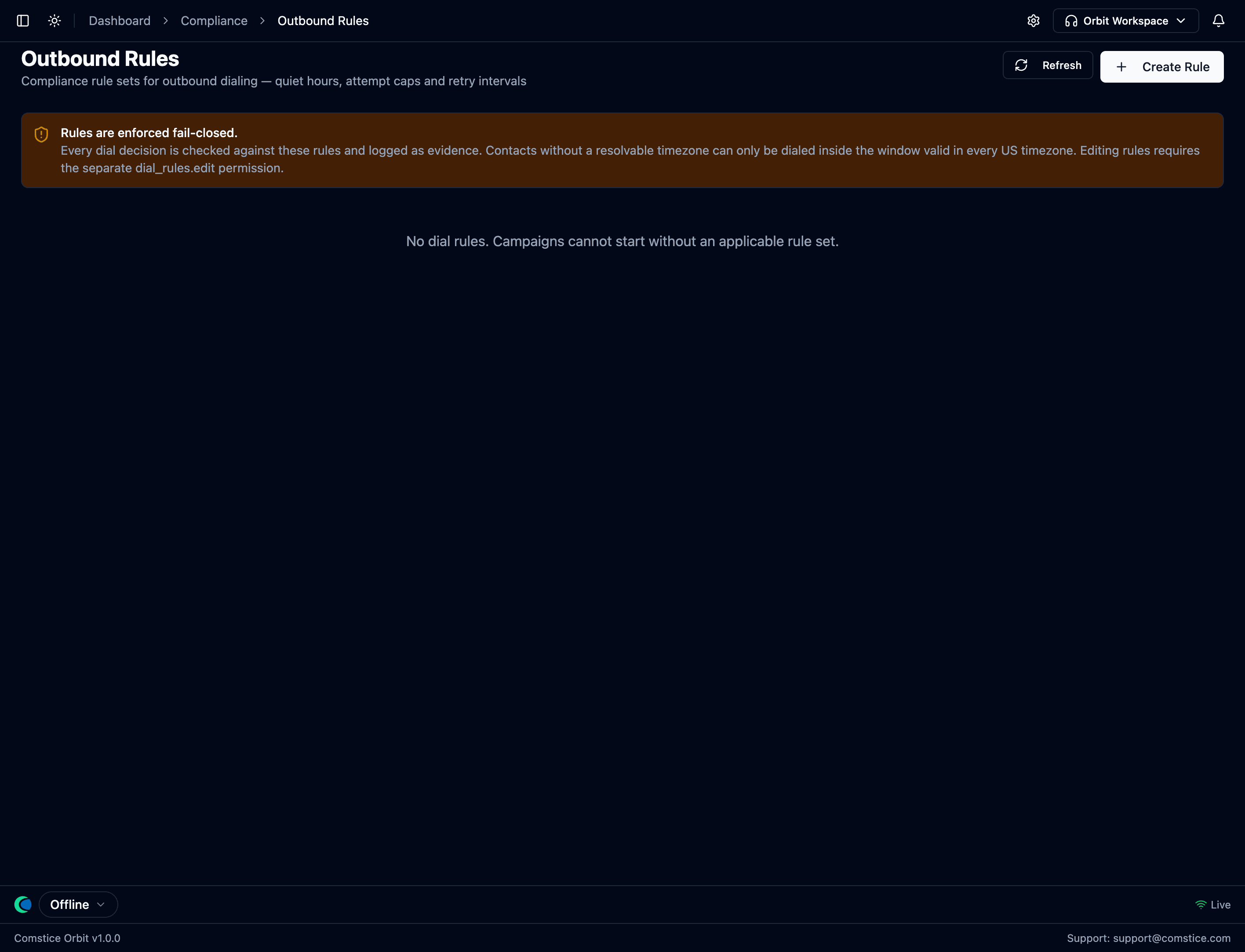 Rules are enforced fail-closed: campaigns cannot start without an applicable
rule set, and every dial decision is checked and logged.
Rules are enforced fail-closed: campaigns cannot start without an applicable
rule set, and every dial decision is checked and logged.
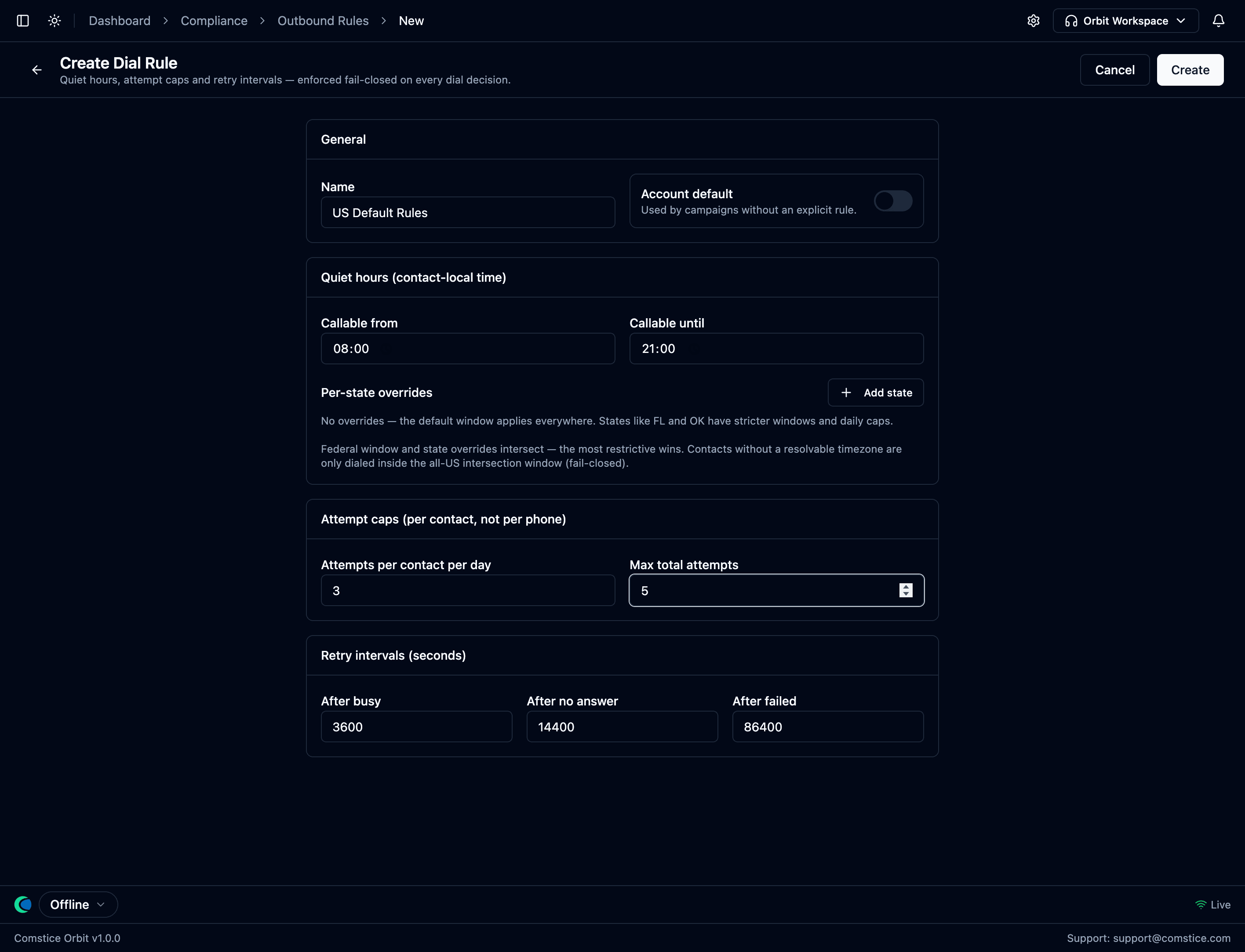 A rule set: the callable window (quiet hours), per-state overrides, attempts
per contact per day, max total attempts, and retry intervals after busy /
no-answer / failed.
A rule set: the callable window (quiet hours), per-state overrides, attempts
per contact per day, max total attempts, and retry intervals after busy /
no-answer / failed.
| Rule | What it controls |
|---|---|
| Quiet hours | The window a contact may be called, in the contact's local time. Per-state overrides tighten it where state law is stricter — the most restrictive wins. |
| Attempt caps | Max dials per contact per day and a max total across the campaign. |
| Retry intervals | Wait time before retrying after busy, no answer, or failed. |
Editing outbound rules requires the dial_rules.edit permission — held by
compliance admins, not campaign managers. The person running a campaign
cannot loosen the rules it runs under.
Reassigned Numbers (RND)
For lists with consent, Orbit can check the Reassigned Numbers Database
before dialing: if a number was reassigned to a new subscriber after the
consent date, the old consent no longer applies, so the contact is blocked
(blocked_rnd) and the check is recorded. RND status is cached and
re-checked on a rolling window.
Every decision leaves evidence
For every contact Orbit considers — dialed or blocked — a dial attempt record is written with the full compliance result: which window applied, the contact's timezone (and how it was determined), the DNC check, the attempt count, the RND and consent checks. When someone asks "why did/didn't you call me?", the answer is in the attempt history, not in anyone's memory.
7. Abandonment & the FCC 3% limit
Automated over-dialing (power, predictive) can occasionally reach a customer when no agent is free. That's an abandoned call, and US law caps it. Orbit builds this limit in:
- Safe-harbor message. If an answered call can't reach an agent within a couple of seconds, Orbit plays your recorded identification message (the FCC safe-harbor requirement) and ends the call — it never just drops silent.
- Honest abandon rate. The rate is abandoned ÷ live human answers (not ÷ dials), over a 30-day window, and machine answers don't count. Below a minimum sample size Orbit shows no rate rather than a misleading one.
- Automatic throttle. If a power campaign's abandon rate climbs toward the limit, Orbit forces the ratio back to 1:1 and alerts the supervisor, then eases off once it recovers.
- Audit artifact. The campaign's Compliance report (Overview tab) shows the abandon rate against the 3% line and the blocked-call breakdown, and exports an attempt-level CSV — the evidence pack to hand a regulator.
8. Dispositions — what happens after each call
The Dispositions tab defines the outcome codes agents pick when a campaign call ends. Each code carries a behavior:
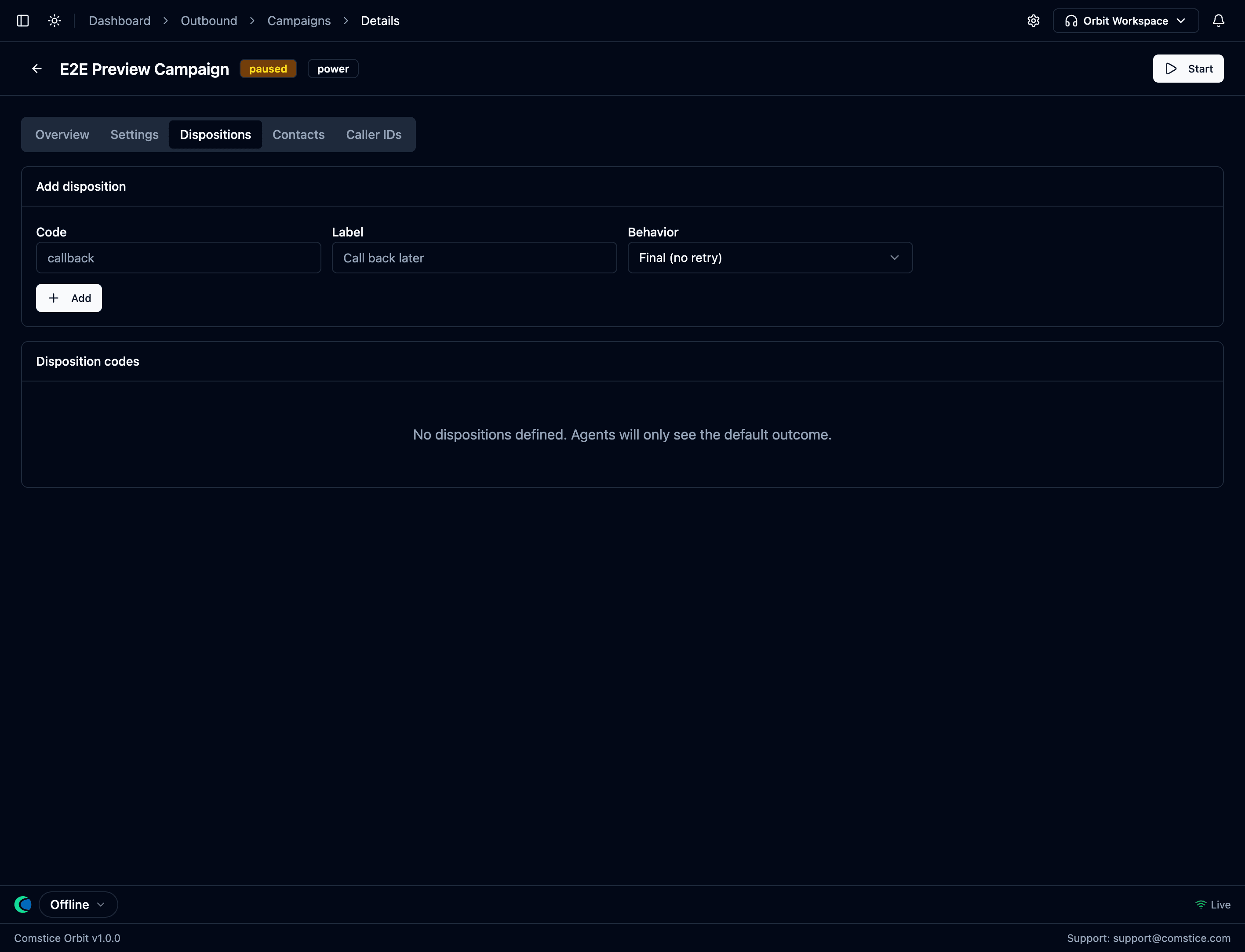 Outcome codes with their behavior — what Orbit does to the contact next.
| Behavior | What Orbit does |
|---|---|
| Callback | Re-queue the contact for a scheduled time. |
| Retry | Re-queue after the rule set's retry interval. |
| DNC | Immediately add the number to DNC and finish the contact. |
| Final | Done — not dialed again in this campaign. |
9. The agent experience
How work arrives depends on the mode.
Preview — the contact arrives as a card the agent reviews before dialing:
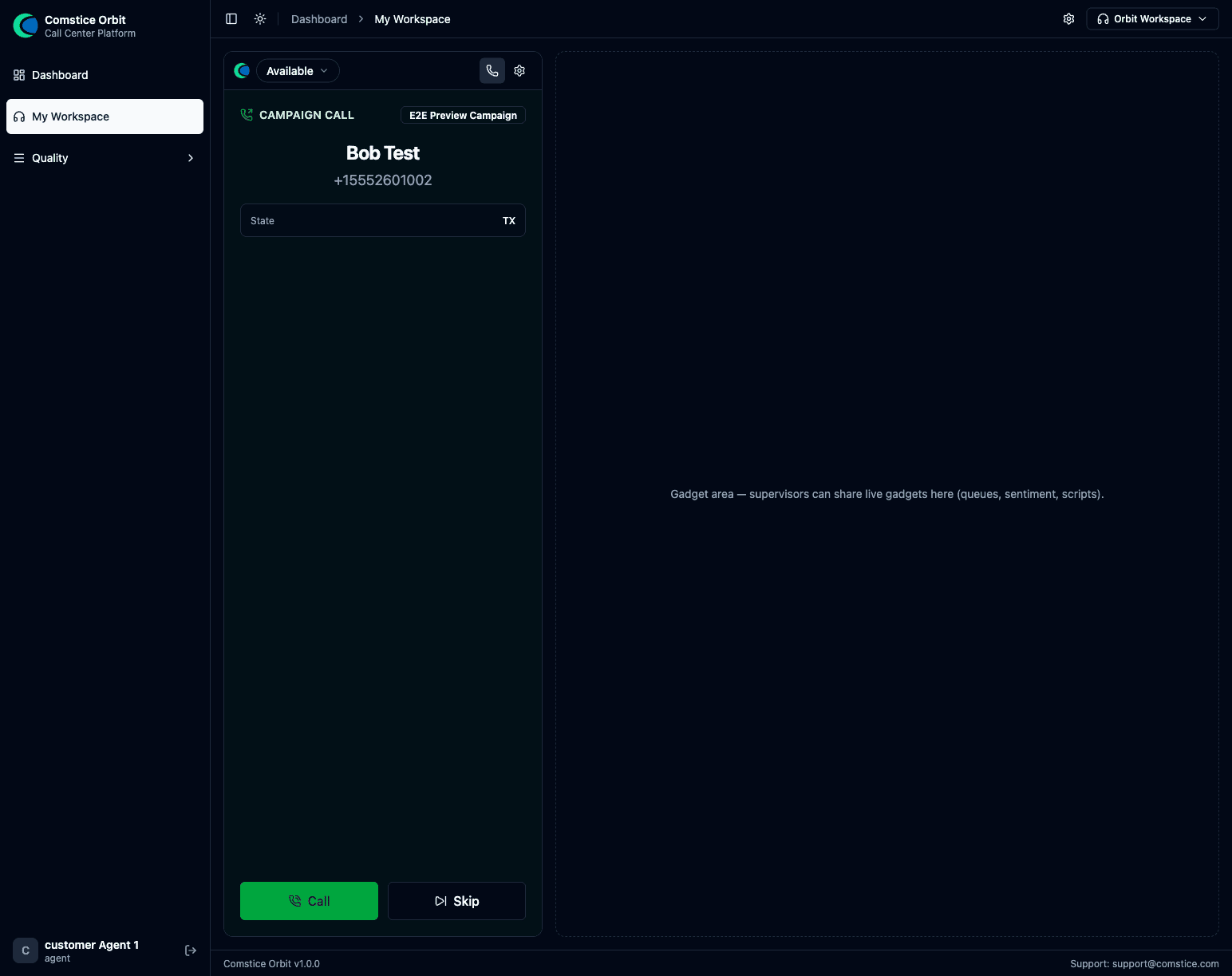 The preview card: who's next, their details and dial history, with Call
and Skip. The agent stays Available for inbound while the card waits — an
inbound call simply withdraws the card and the contact returns to the queue.
The preview card: who's next, their details and dial history, with Call
and Skip. The agent stays Available for inbound while the card waits — an
inbound call simply withdraws the card and the contact returns to the queue.
Progressive / power / predictive — there's no card: Orbit dials the customer and connects the agent the instant the customer answers, so the agent goes straight into a live call.
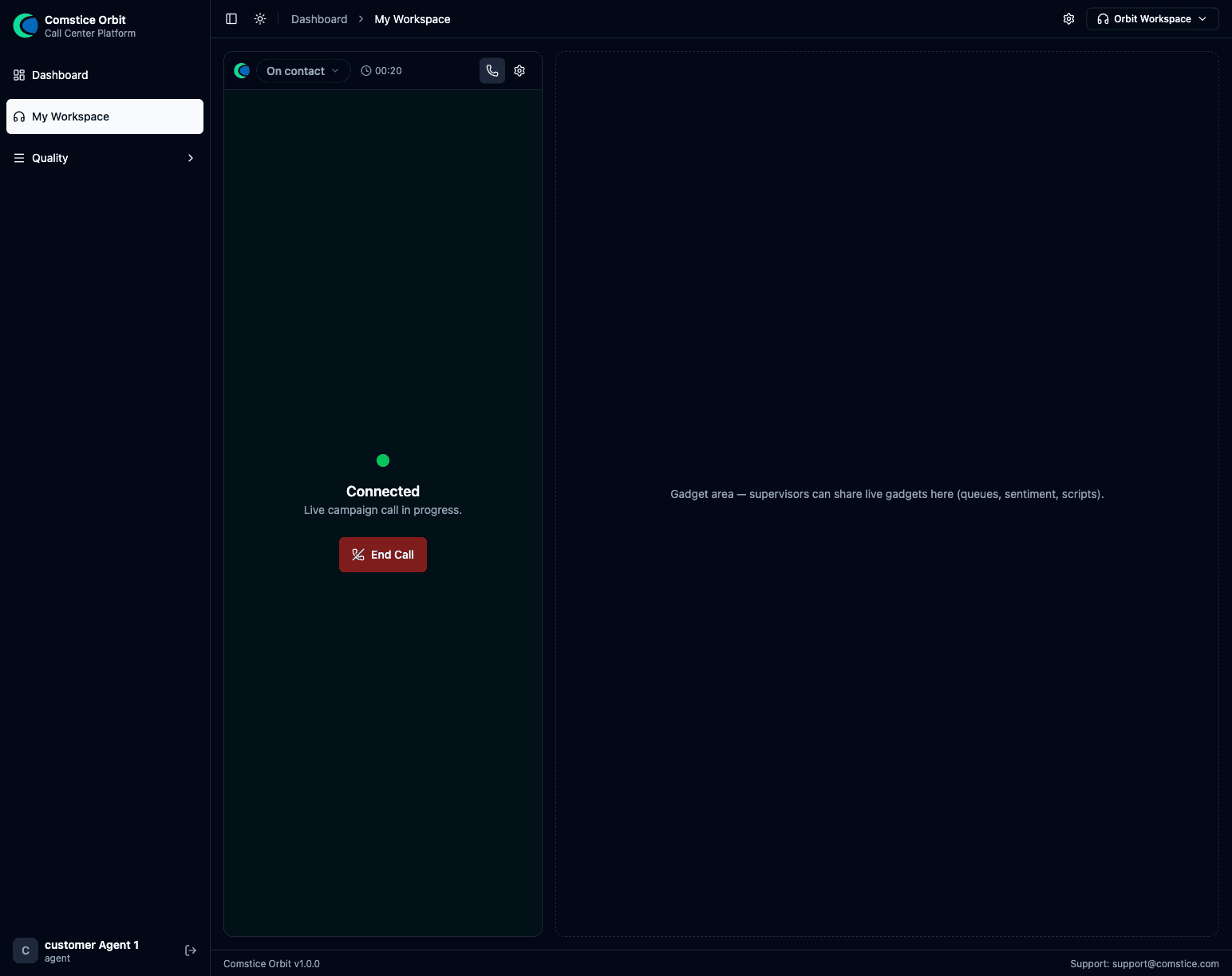 Connected — a live campaign call, handled like any other call.
After the call, the agent picks a disposition code, which drives the callback / retry / DNC behavior automatically, then completes any wrap-up form.
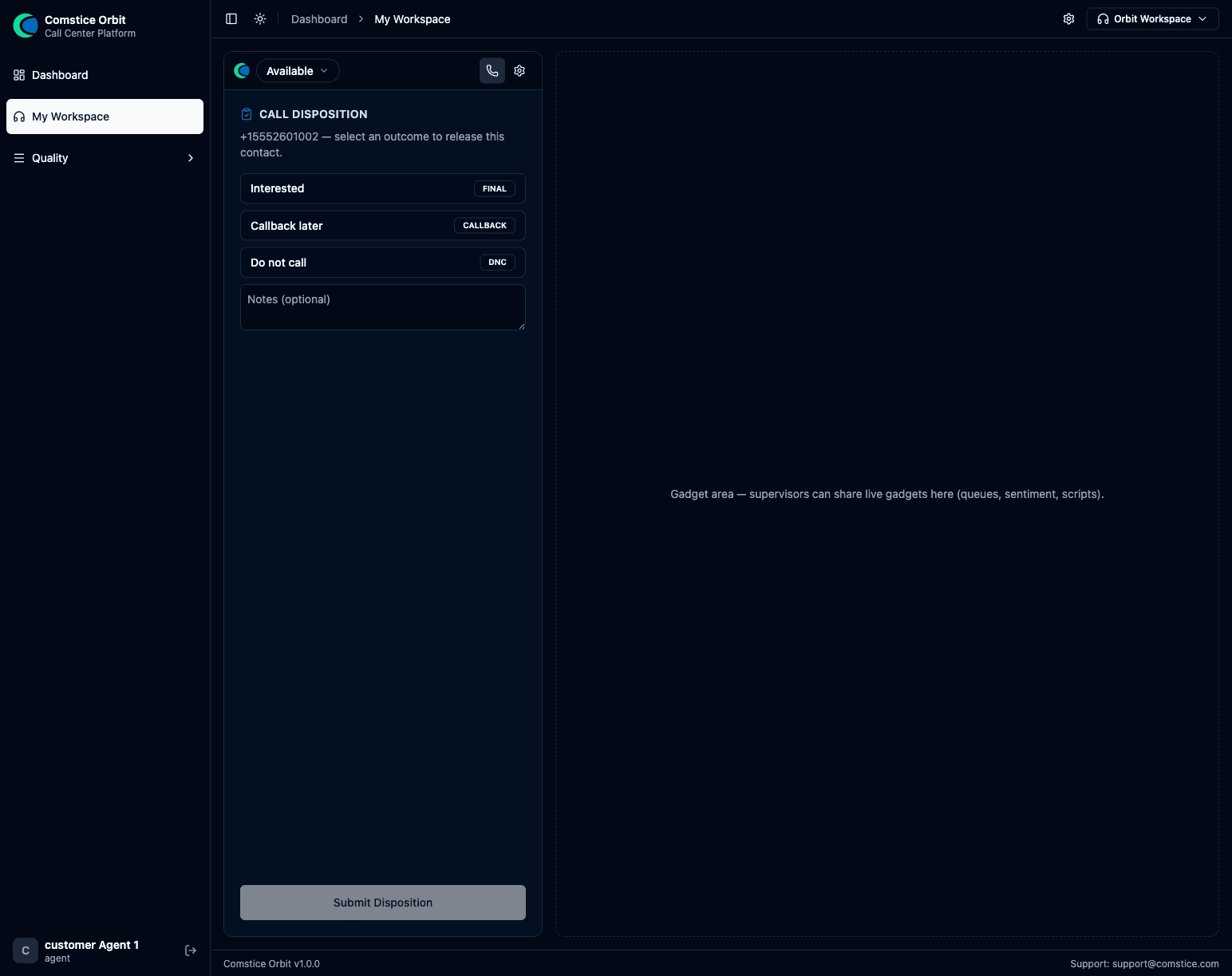 After hangup: pick the disposition — this drives the follow-up behavior.
Manual dialing from the dialpad
Agents can dial any external number from the softphone Dialpad — no
campaign needed. Manual dials still pass the DNC and quiet-hours checks and are
logged as manual attempts, so ad-hoc calling isn't a compliance blind spot.
10. Supervising outbound
- Dashboard widget — the Campaign Status widget shows live progress (contacts dialed, dials/hour, connect rate) and, for automated campaigns, an FCC 3% abandon gauge with a throttle indicator.
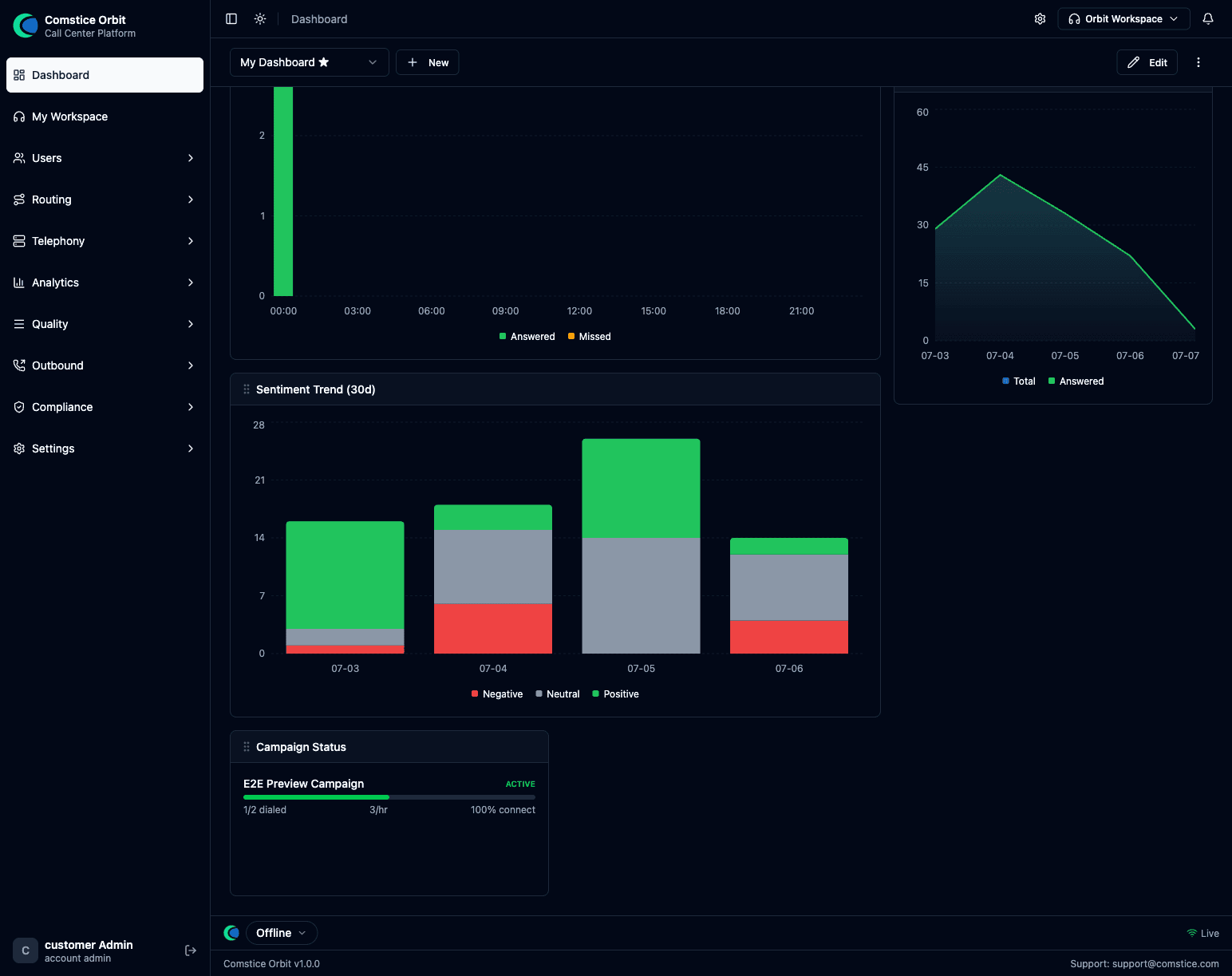 Live campaign visibility on the dashboard: progress, pace, connect rate.
- Live Monitor — campaign calls appear in Live Monitor tagged with their campaign.
- Call Records — every campaign call lands in Call Records stamped with its campaign, so you can filter, review, and QA-score outbound work.
- Attempt history & compliance report — the campaign Overview tab is the audit trail: every attempt, every block, the abandon rate, and the evidence CSV.
11. Permissions & licensing
- The Outbound area requires the outbound product license; automated
dialing (progressive / power / predictive) additionally requires
outbound_progressive_enabledon the account. - Permissions split by role: campaigns view/create/edit/control (start/pause/stop is a separate control action), contact_lists, dnc view/edit, and dial_rules view/edit (Compliance group, admin-only by default).
- Typical mapping: admins get everything; supervisors get campaign view/control + DNC view; agents need none — campaign work arrives through the softphone, not the admin panel.