Telephony — Trunks, Numbers & Routing
This chapter connects Orbit to the outside phone world: the trunks that carry calls, the phone numbers customers dial, and the rules that decide where an incoming call goes and how an outgoing call leaves.
In the app: Telephony → SIP Trunks, Telephony → Phone Numbers, Telephony → Outbound Routes, and Routing → Call Routes.
1. Inbound vs Outbound — the two directions
Orbit handles the two call directions with separate paths:
- Inbound — a call arrives from outside (a customer dials your number). It enters through the inbound service, gets matched to a company and a call flow, and is handled.
- Outbound — Orbit places a call to outside (a campaign dial, or an agent transferring to an external number). It leaves through the outbound service via a chosen carrier.
You configure both from the same screens below; the direction is a property of the trunk and the routing rules.
2. Trunks & Carriers
A Carrier (also called a trunk) is your connection to a phone provider — the pipe that delivers and accepts calls (e.g. your SIP provider, or a Cisco/Avaya PBX). Each carrier has one or more Gateways, which are the actual network endpoints.
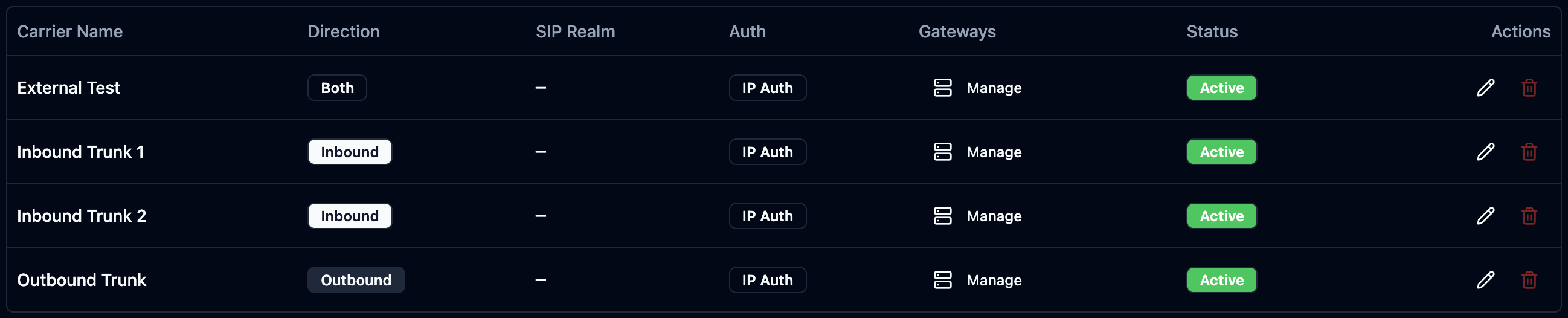 Trunks with their direction, auth mode, gateways, and status.
A carrier defines:
- Name and direction — inbound, outbound, or both.
- Registration credentials (if the provider requires SIP registration).
- A default application (optional) — where to send calls from this trunk if no number-specific rule matches.
Each gateway defines:
- IP address / port / transport (UDP, TCP, or TLS).
- Netmask — match a single IP (
/32) or a whole range (e.g./24). - Inbound / Outbound flags — does this gateway accept calls in, send calls out, or both?
To add a trunk: SIP Trunks → Add Trunk. The Create Carrier page opens:
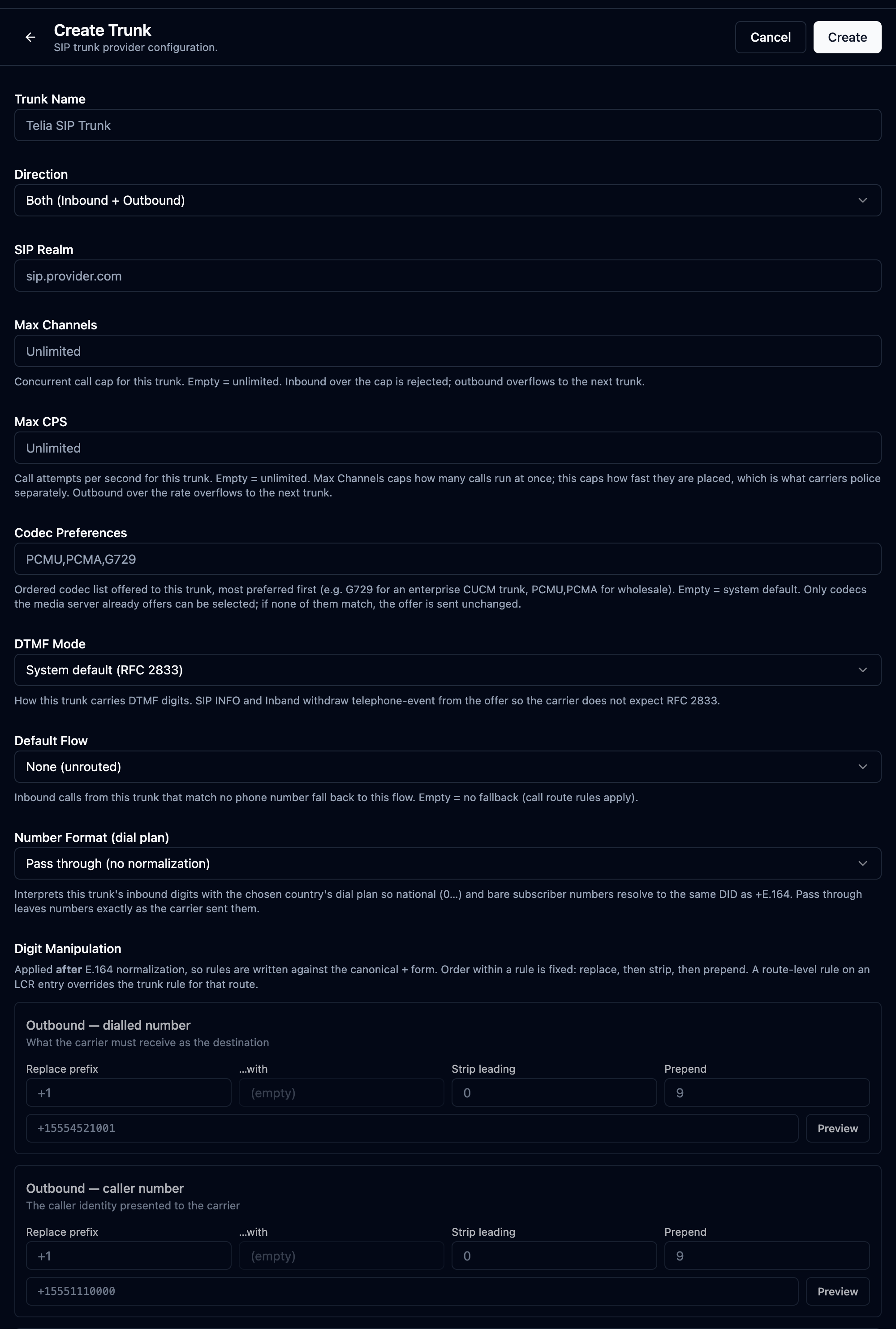 The trunk form: name, direction, SIP realm, concurrency caps, codecs, DTMF mode, a default flow, dial-plan normalisation and per-direction digit manipulation. Gateways (the actual IP endpoints) are added afterward from the carrier.
| Field | What it does |
|---|---|
| Trunk Name | A name for the trunk (e.g. "Telia SIP Trunk"). |
| Direction | Inbound, Outbound, or Both (Inbound + Outbound). |
| SIP Realm | The provider's SIP domain (e.g. sip.provider.com). SIP registration credentials appear here when the provider needs them (otherwise trunks authenticate by gateway IP). |
| Max Channels / Max CPS | Concurrency caps — most calls at once, and calls per second. Empty = unlimited; over-cap inbound is rejected, outbound overflows to the next trunk. |
| Codec Preferences | Ordered codec list offered to this trunk (e.g. PCMU,PCMA,G729), most-preferred first. Empty = system default. |
| DTMF Mode | How DTMF digits are carried — RFC 2833 (default), SIP INFO, or Inband. |
| Default Flow | Inbound calls on this trunk that match no phone number fall back to this flow. |
| Number Format (dial plan) | Normalise inbound digits to +E.164 for a chosen country, or pass through unchanged. |
After creating the carrier, open it to add one or more gateways (the actual
IP endpoints): IP, port, transport (UDP/TCP/TLS), netmask (single IP /32 or a
range), and the inbound/outbound flags. Gateways also support an IP blacklist
to block abusive sources.
On the carrier you can also set a default application — the flow every call on this trunk goes to when no per-number rule matches (step 3 of the resolution order below). Set it on the carrier record (after creation) when a whole trunk should land on a single IVR, so you don't have to add a Phone Number row for every DID.
3. Phone Numbers (DIDs)
A DID (Direct Inward Dialing number) is a phone number customers call.
An Application is the named entry point a number points at; it runs a published call flow. For a normal IVR you can read "Application" and "the call flow it runs" as the same thing — the Application is just the wrapper the number binds to. (Applications can also be driven by a webhook instead of a visual flow — see Developer §3 — but for IVR work, Application = its published flow.)
How a number gets into Orbit — three beats, the same arc a cloud contact center uses (just mapped to trunks):
- Your carrier delivers the DID over a trunk you've configured.
- You add the number under Phone Numbers and point it at an Application/flow.
- You place a test call to prove the path end-to-end.
 Each DID shows the application/flow it routes to, its carrier, and status.
The flow you point the number at must already be published — a number attached to a draft (or to nothing) has nowhere to send the call. Build and Publish the flow first (Call Flows), then add the number.
To add a number: Phone Numbers → Add Number. The page has these fields:
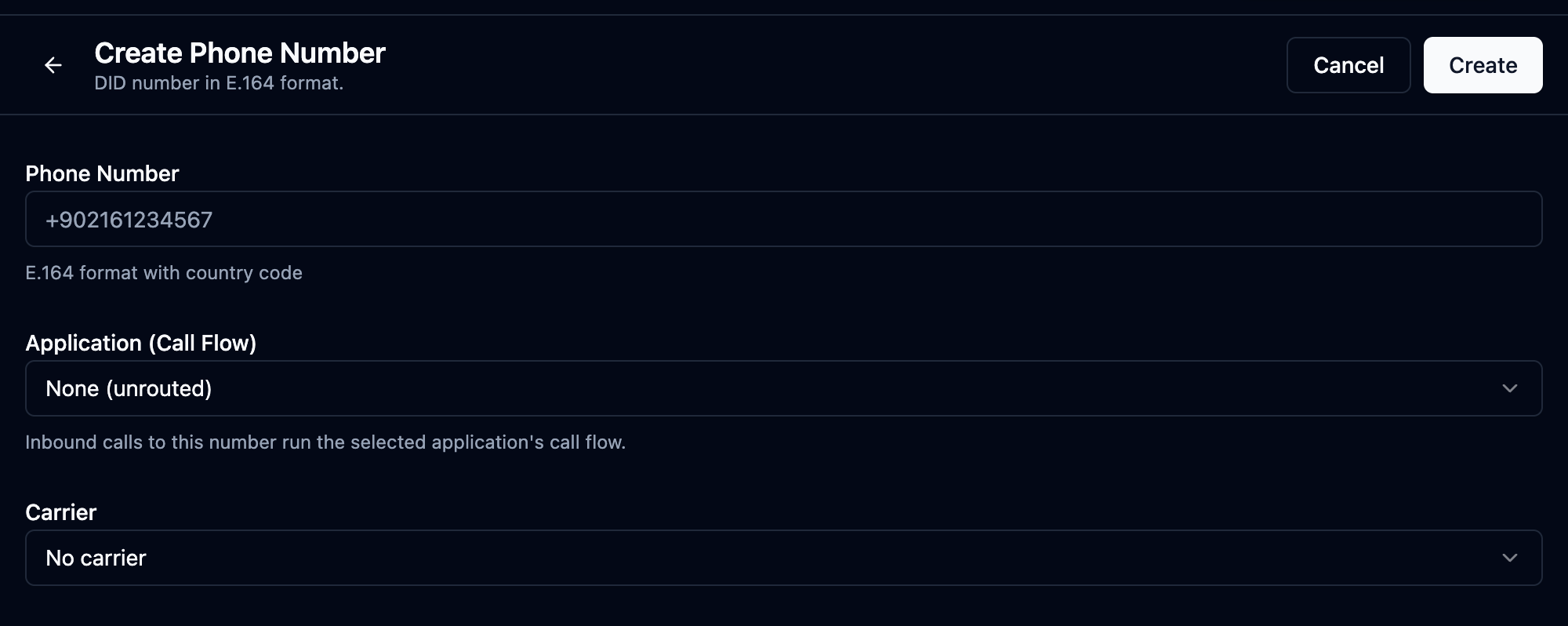 The three fields that route an inbound call: the DID itself, the Application/flow that answers it, and the carrier that delivers it.
| Field | What it does |
|---|---|
| Phone Number | The DID in E.164 format (e.g. +14155550100). |
| Application (Call Flow) | The published call flow that handles calls to this number. This is the association that makes the number do something — without it the number rings nowhere. |
| Carrier | The trunk that delivers this number. |
4. How an inbound call finds its destination
When a call arrives, Orbit resolves its target in this order:
- Which carrier? — match the call's source IP to a gateway. This identifies which trunk (and which company) the call came in on.
- Which number? — look up the dialed number, scoped to that carrier. (Scoping by carrier means the same number under two different trunks resolves correctly — no collisions between tenants.)
- Fallback: carrier default — if the number isn't found, use the carrier's default application.
- Fallback: call routes — if still unmatched, try Call Routes: regex patterns matched in priority order.
The result is an Application, which runs its published call flow.
5. Call Routes & Outbound Routes
Call Routes (inbound) are pattern-based rules (regex) that match a dialed number to an application — useful for ranges of numbers or a catch-all when no single DID row matches. Lower priority number = checked first.
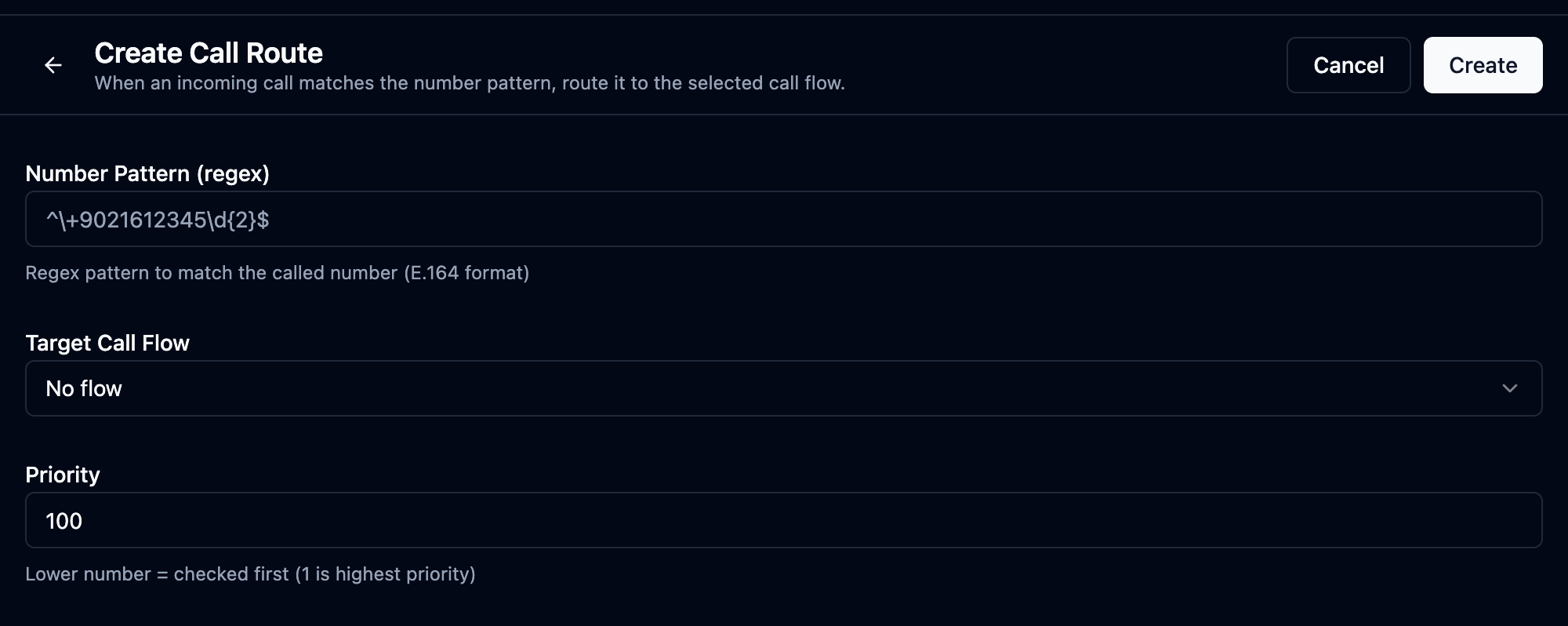 A regex pattern, the target application/flow it routes to, and a priority — checked in ascending priority order after per-number lookup fails.
| Field | What it does |
|---|---|
| Name | A label for the rule. |
| Pattern (regex) | The dialed-number pattern to match (e.g. ^\+1800.* for a toll-free range). |
| Application / Call Flow | Where matching calls go. |
| Priority | Lower = checked first, so put specific patterns above catch-alls. |
Outbound Routes decide which carrier/trunk carries an outgoing call, based on the dialed destination. They live in a named route config: you create the config, then open Manage Routes on it to add the actual destination-pattern → carrier rules inside.
 First create a named route config; then use Manage Routes on it to add the rules.
Inside a config, each route maps a destination pattern (regex) (e.g. ^\+44.*
for UK) to the carrier/trunk that should carry a matching call, with a
priority for failover order when several routes match (see also
LCR for cost-based selection).
To add a route: Call Routes (or Outbound Routes) → New → enter the pattern and the target → set priority → Save.
A clean first-time setup is: Carrier → build & publish the Call Flow → add the Phone Number (pointing at that published flow) → test an inbound call → then add Outbound Routes for dialing out. Publish the flow before the number, since the number must point at a published flow.
If an inbound call doesn't reach your flow, check in this order: (1) is the flow published? (2) does the call's source IP match a gateway on the right carrier? (3) is the number added under the correct carrier? (4) is there a Call Route catching it before your DID rule? Most "dead number" cases are an unpublished flow or a carrier-scope mismatch.