Meet-Me Conference
A Meet-Me room is a conference bridge that outlives any single call: it has a room number and, usually, a PIN. People dial in whenever they need it and the room is waiting. Administrators create the rooms; whoever is running the meeting watches and controls it from the live roster.
In the app: Telephony → Meet-Me Rooms. In the call flow editor, the Meet-Me Conference block (Interact category) is what lets callers reach them.
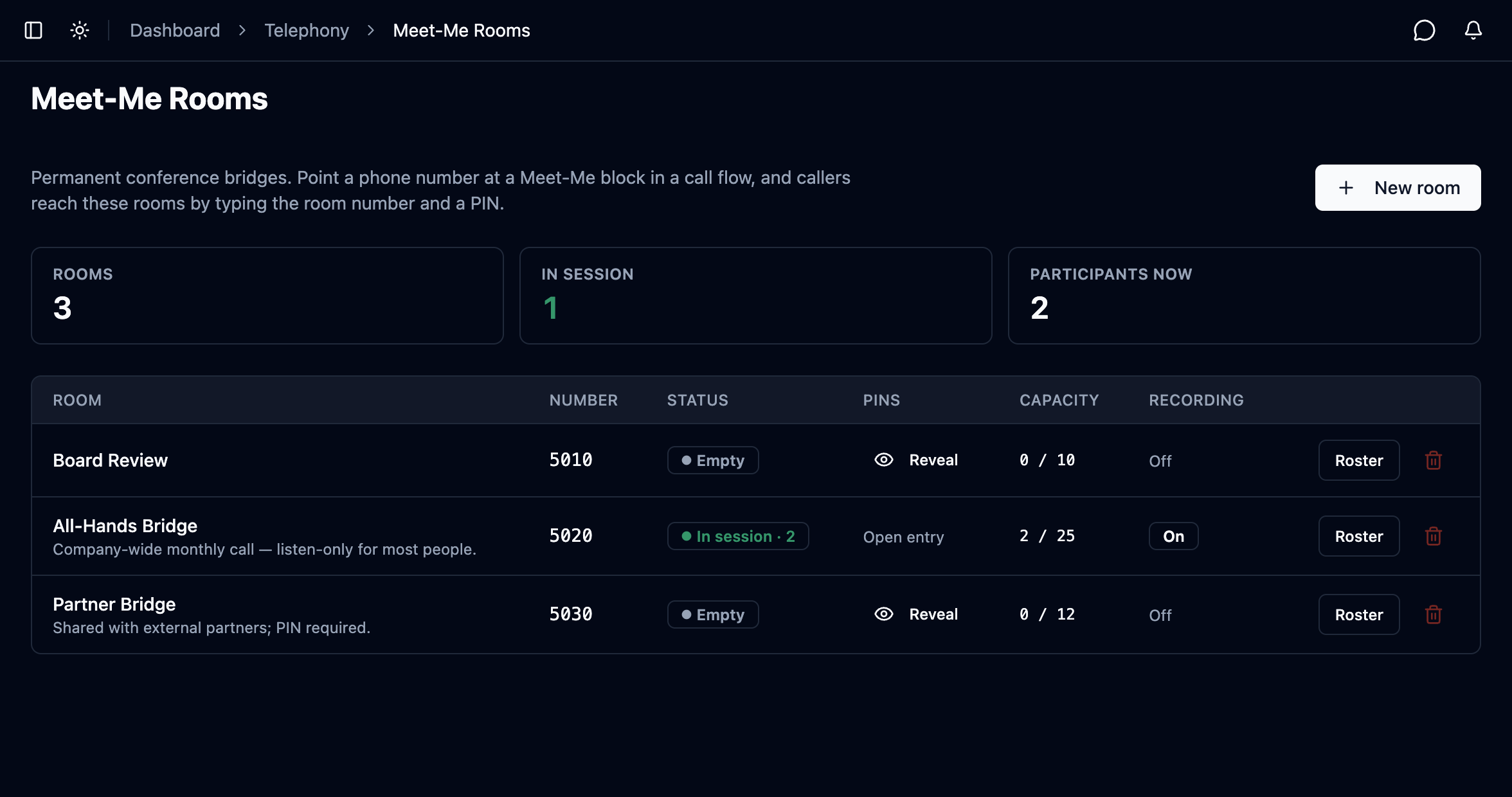
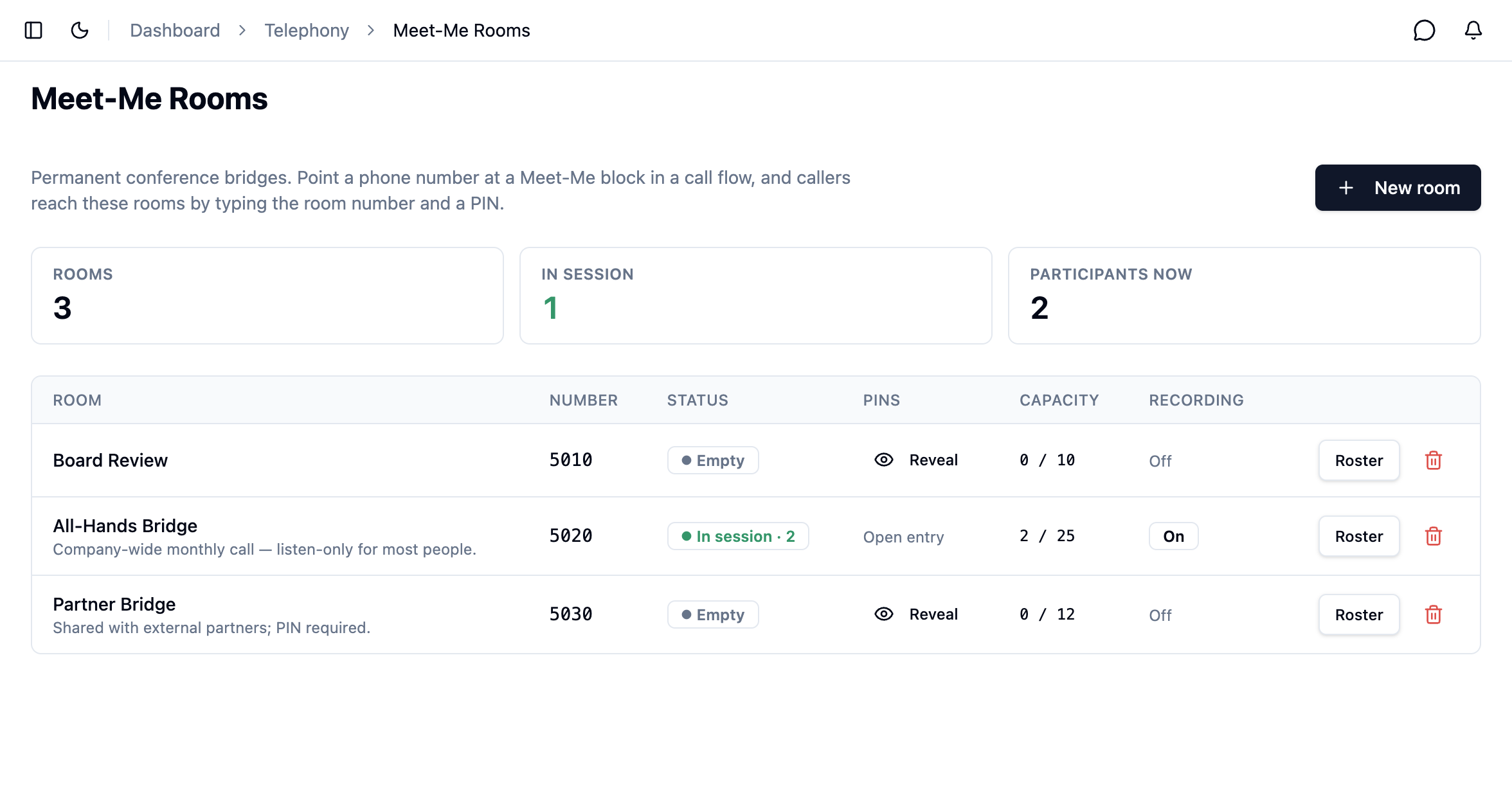
Three counters — Rooms, In session, Participants now — over the list of rooms.
Meet-Me Rooms appears when you have the meetme.view permission and the
meetme-conference license. Without either, the menu entry is not there.
1. Read the room list
Each row is a room: its number, whether anyone is in it, whether a PIN is required, how full it is, and whether it is being recorded.
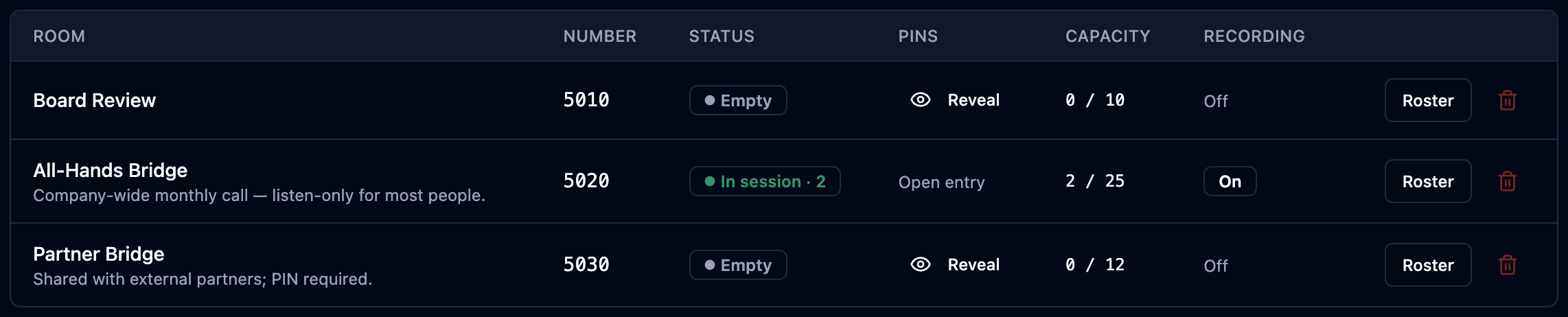
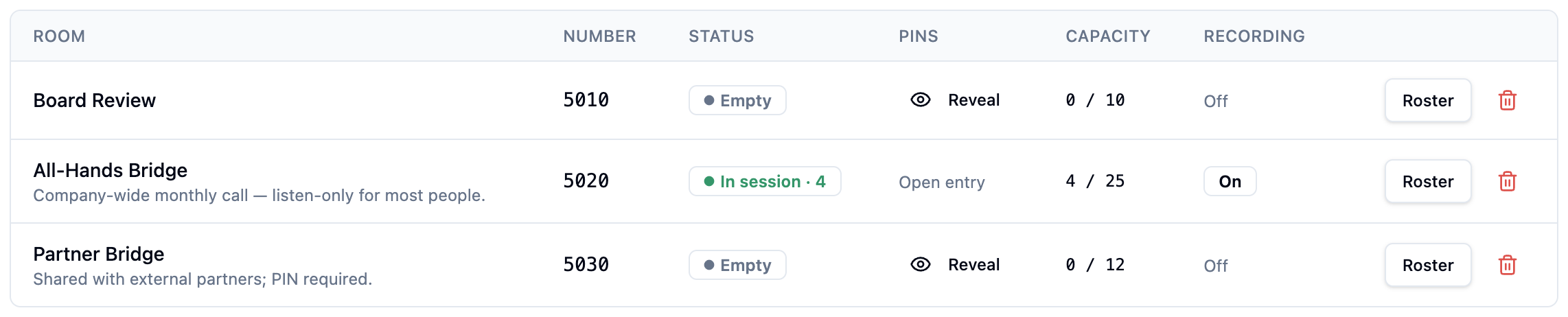
| Status badge | What it means |
|---|---|
| Empty | The room exists and is ready; nobody is dialled in. |
| In session · N | A meeting is running with N participants. |
| Locked · N / Locked · empty | Locked: new callers are refused. A moderator can still get in. |
| Disabled | Turned off. Every caller is refused, but the room and its history remain. |
A locked room shows as locked even when it is empty — this is the one screen that explains why callers are being refused, so it must not look like a room nobody has dialled.
The PINS column says either Open entry or offers Reveal; CAPACITY reads in the room / maximum; Roster opens the live view of a meeting.
2. Create a room
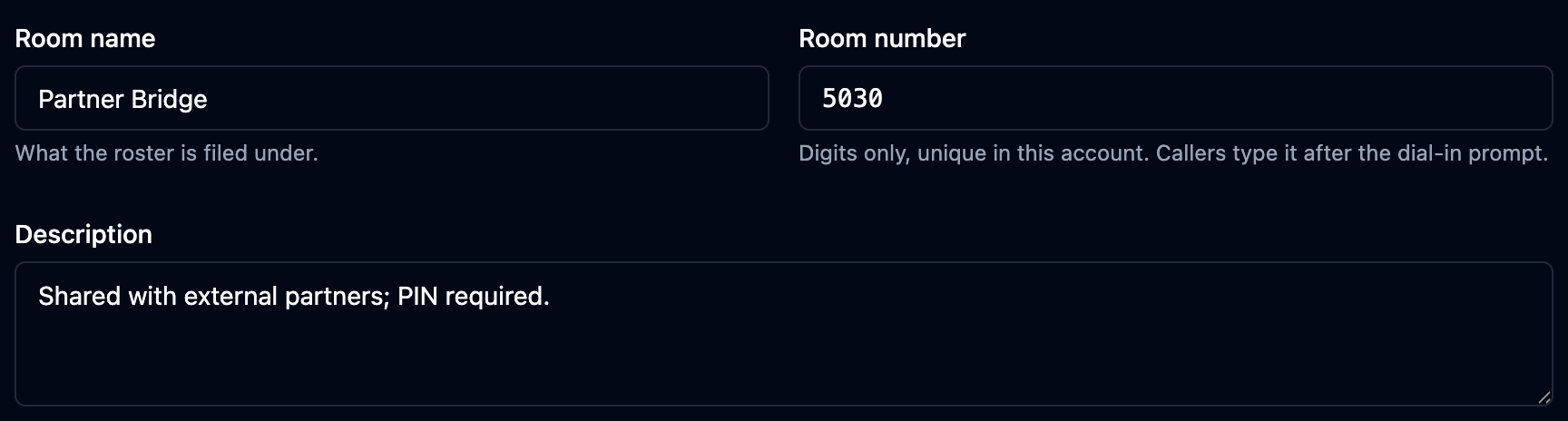
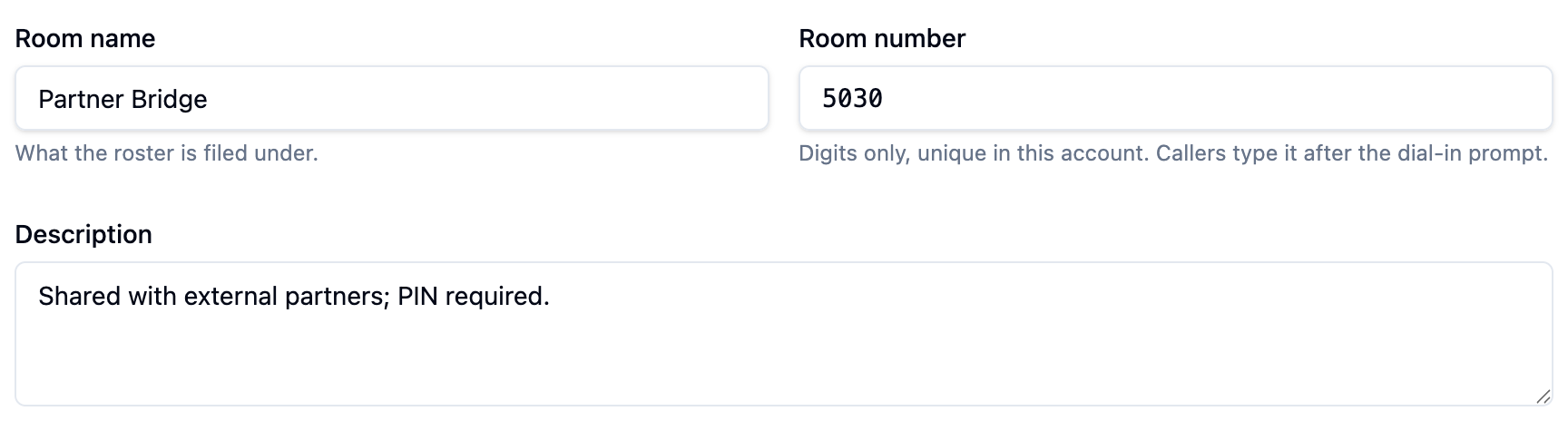
Meet-Me Rooms → New room. The first three fields are the room's identity:
| Field | What it does |
|---|---|
| Room name | What the roster and the call record are filed under. |
| Room number | Digits only. Callers type this after the dial-in prompt. |
| Description | Optional — what the room is for. |
Two different companies can both run a room 5000. Rooms are told apart by their own identity rather than by the number, so callers never land on someone else's bridge.
3. Set entry rules and in-room behaviour
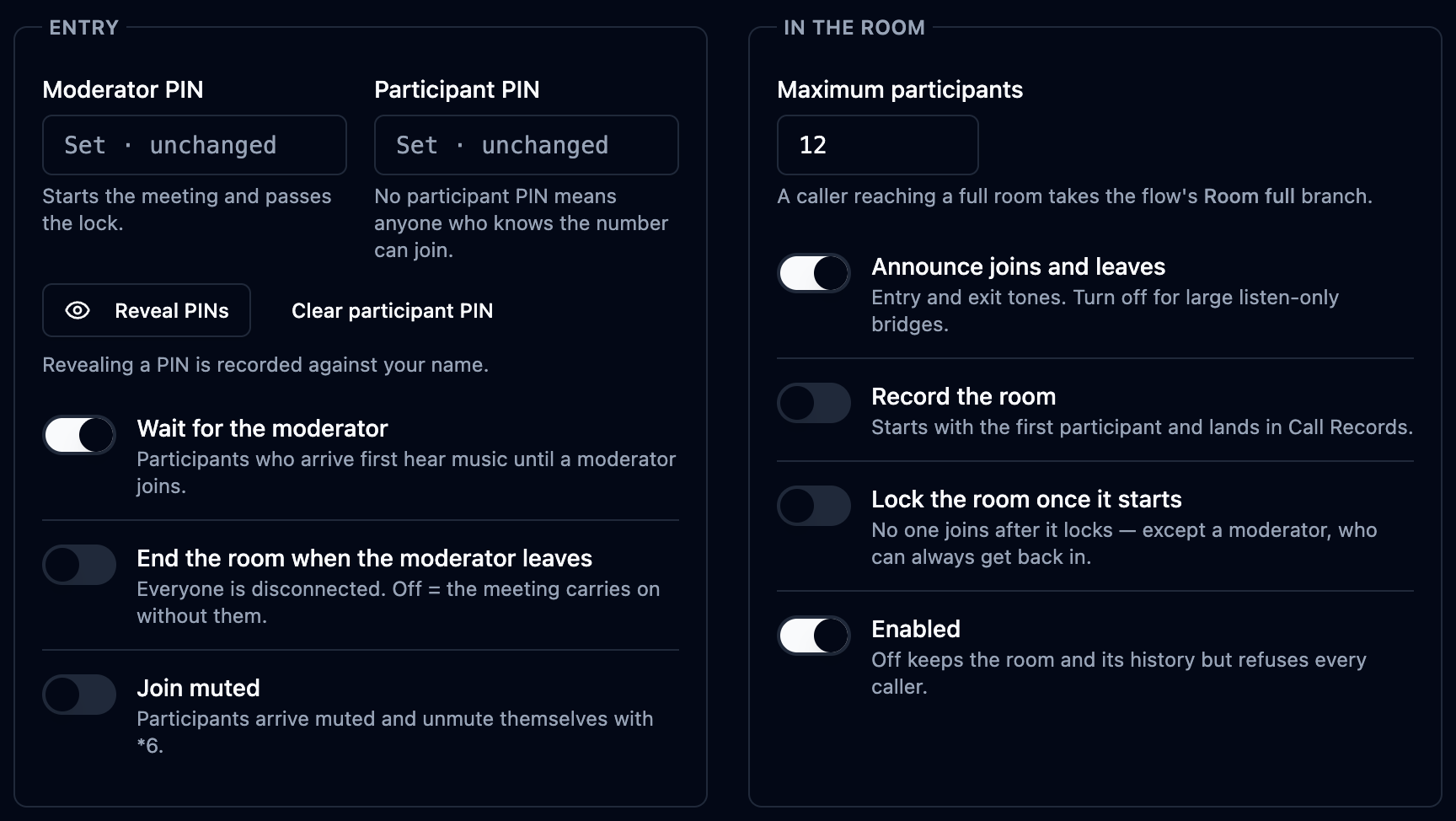
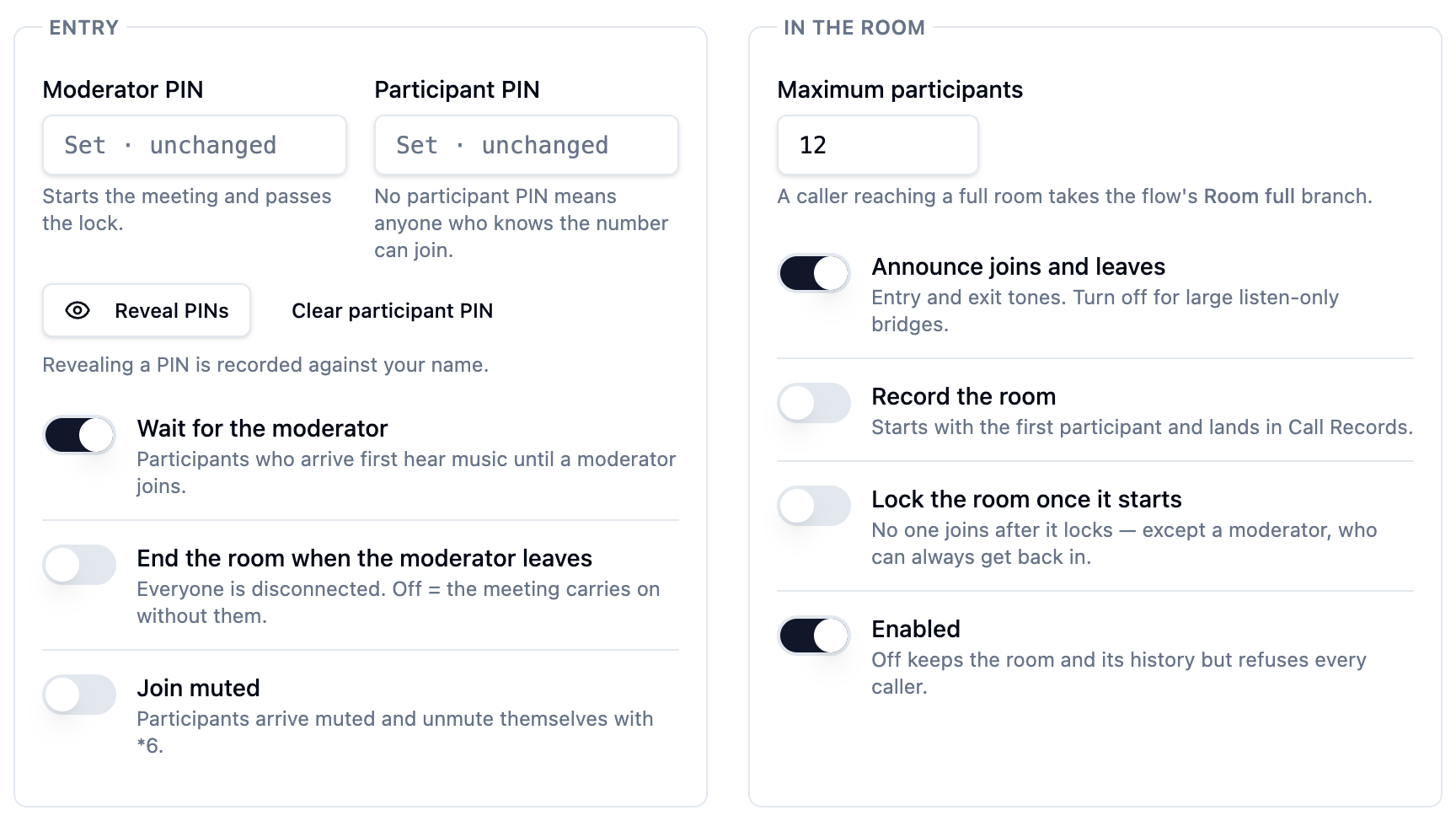
The rest of the form is two panels: how people get in, and what happens once they are in the room.
Entry
| Setting | What it does |
|---|---|
| Moderator PIN | Starts the meeting and passes the lock. |
| Participant PIN | Leave it empty and the room is open entry — anyone who knows the number joins. |
| Reveal PINs | PINs are stored encrypted and never appear in a list. Revealing one is a separate action, and it is recorded against your name. |
| Wait for the moderator | Early participants hear music until a moderator joins. |
| End the room when the moderator leaves | Everyone is disconnected when the moderator hangs up. Off means the meeting carries on without them. |
| Join muted | Participants arrive muted and unmute themselves with *6. |
In the room
| Setting | What it does |
|---|---|
| Maximum participants | A caller who reaches a full room takes the flow's Room full branch. |
| Announce joins and leaves | Entry and exit tones. Turn them off for large listen-only bridges. |
| Record the room | Recording starts with the first participant and lands in Call Records. |
| Lock the room once it starts | Nobody joins after it locks — except a moderator, who can always get back in. |
| Enabled | Off keeps the room and its history but refuses every caller. |
When you edit an existing room, both PIN boxes read Set · unchanged and stay
empty — saving the form does not remove the PIN. To make a room open entry, use
Clear participant PIN.
4. Run a live meeting
Roster on a room's row opens the meeting as it happens: who is in, where they called from, and how long they have been there.


The header carries the whole-room controls — Lock room, Mute everyone, Unmute everyone, End room — with the room number and capacity beside the name.


Each row has its own mute, unmute and remove actions, and the list refreshes every few seconds.
A row does not claim a participant's current mute state. The controls act on the bridge; a stale "muted" badge next to someone who is speaking would be worse than no badge at all.
End room ends a meeting in progress and drops every participant. The room itself is not deleted — anyone can dial back in and start a new session.
5. Let callers reach the rooms
Callers arrive through a call flow. In the flow editor, add Interact → Meet-Me Conference: the block asks the caller for a room number and PIN, checks them, and hands an accepted caller to the bridge.
Which room decides how they get there: Ask the caller, or pin the block to one room so the number dialled is the meeting. The two prompts (room number and PIN), what a caller hears after a wrong PIN or an unknown room, the number of Attempts and the Digit timeout are all block settings — see Call Flows → Meet-Me Conference.
The block has no success branch. An accepted caller leaves the flow, exactly as they do on a transfer. Every exit is a refusal, and they are separate because what you want to say is different each time:
| Exit | What happened |
|---|---|
| Wrong PIN | The PIN did not match and the attempts ran out. |
| No Such Room | No room has that number — or the room is disabled. |
| Room Locked | The room is locked. (A moderator PIN still gets in.) |
| Room Full | The room reached its own Maximum participants. |
| No Licensed Ports | The account's concurrent participant licensing is used up. |
| No Input | The caller pressed nothing. |
| Error | The room could not be resolved — a configuration problem. |
One is expected and the caller should be asked to try later; the other is a capacity you can buy more of. Sending both down one branch hides that difference from whoever is listening to the recording six weeks later.
6. Recording, transcripts and redaction
One switch — Record the room — produces two kinds of artefact:
| Artefact | What it is | Where it appears |
|---|---|---|
| Room mix | The whole meeting in one file: what everyone in the room heard. | On the meeting's own call record (§7). |
| Member stream | One participant's own audio, in its own file. | On that participant's call record. |
Transcripts come from the member streams, not from the mix. A single mono file of ten overlapping voices produces a wall of text with no speakers in it; a member stream is one person by definition, so the speaker is known without any voice separation — the roster already knows whose stream it is.
Redaction needs no separate setup here. Member transcripts are written the same way as any other call transcript, so the PII chain applies automatically: QA evaluations read the redacted text, data-subject exports redact, the transcript view masks, and every match is written to the audit trail. See Compliance.
Transcription is always per participant.
7. The meeting in Call Records
A meeting is a call record of its own. Every use of a room — from the first caller opening an empty room to the last one leaving — is a session, and it appears in Call Records as a single row with a Meet-Me badge, the room name, the room number and the participant count. The REC on that row is the room mix: the player plays the whole meeting.
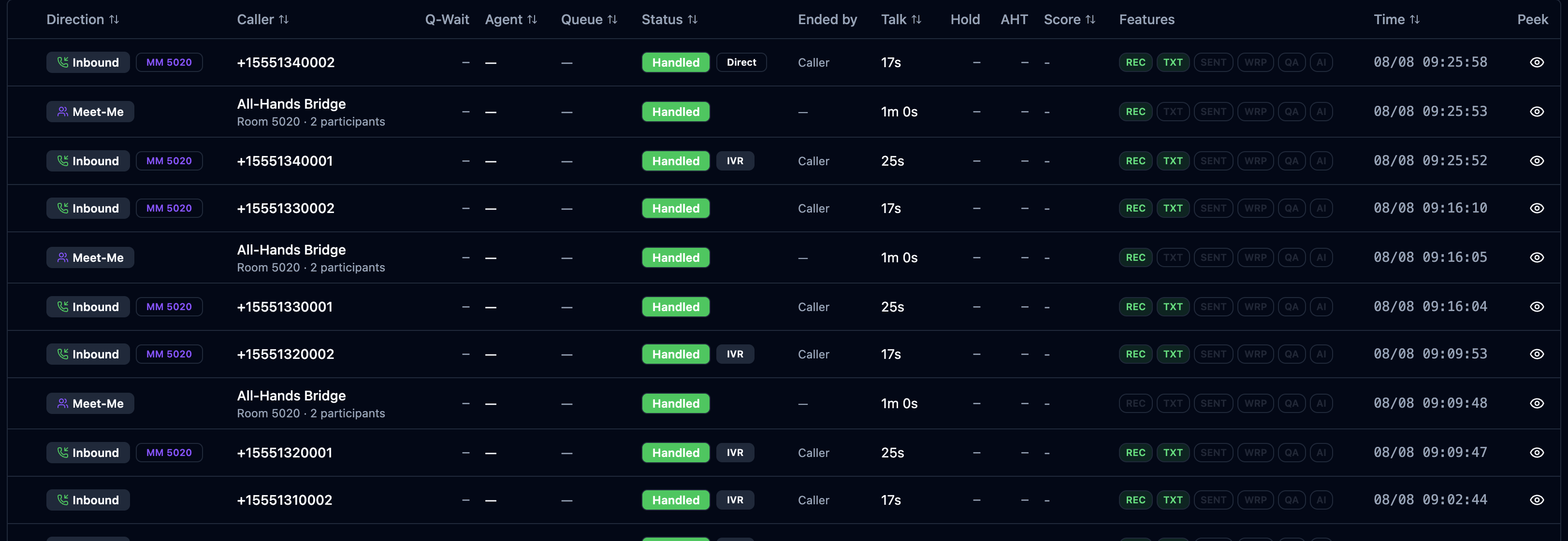
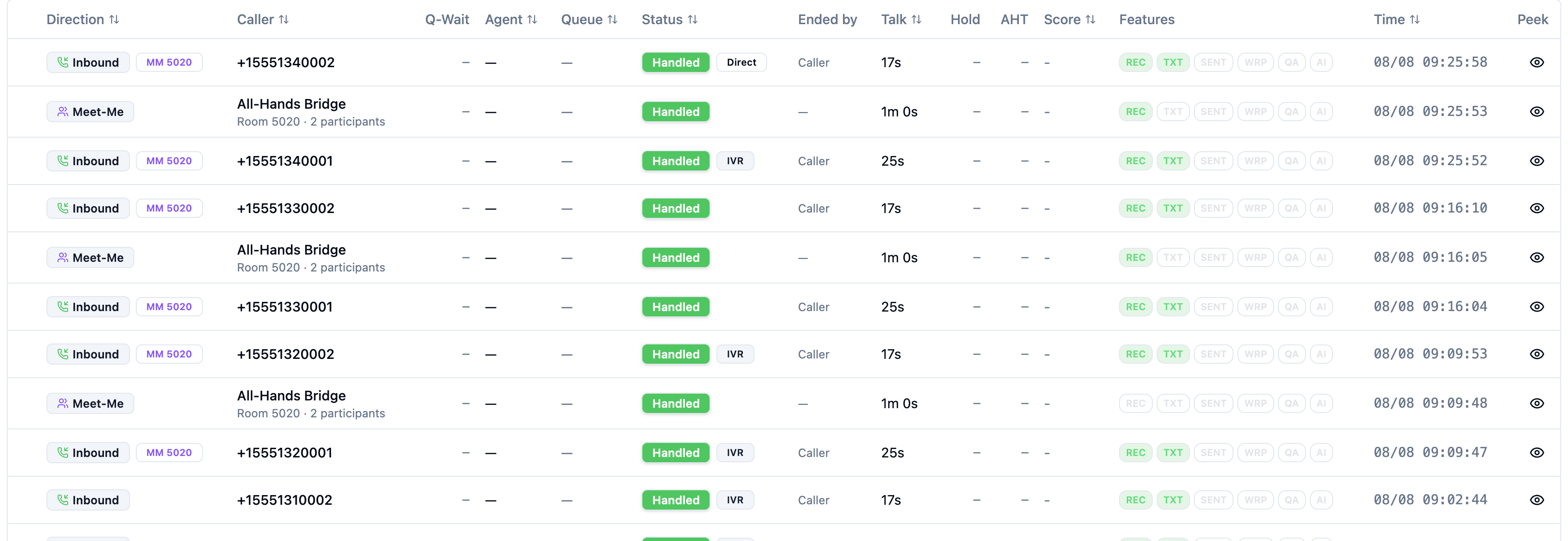
The participant legs stay in the list too — they are real calls, so retention,
QA and export treat them like any other — tagged MM <room> to say which
meeting they belong to.
The Meeting tab is the whole conversation in one place. Opening a session lands on Meeting: who joined, who left and who said what, on a single timeline with the speaker's name above each utterance. The combined transcript is blended from the participant transcripts as you read it — nothing new is stored, so it inherits redaction automatically.
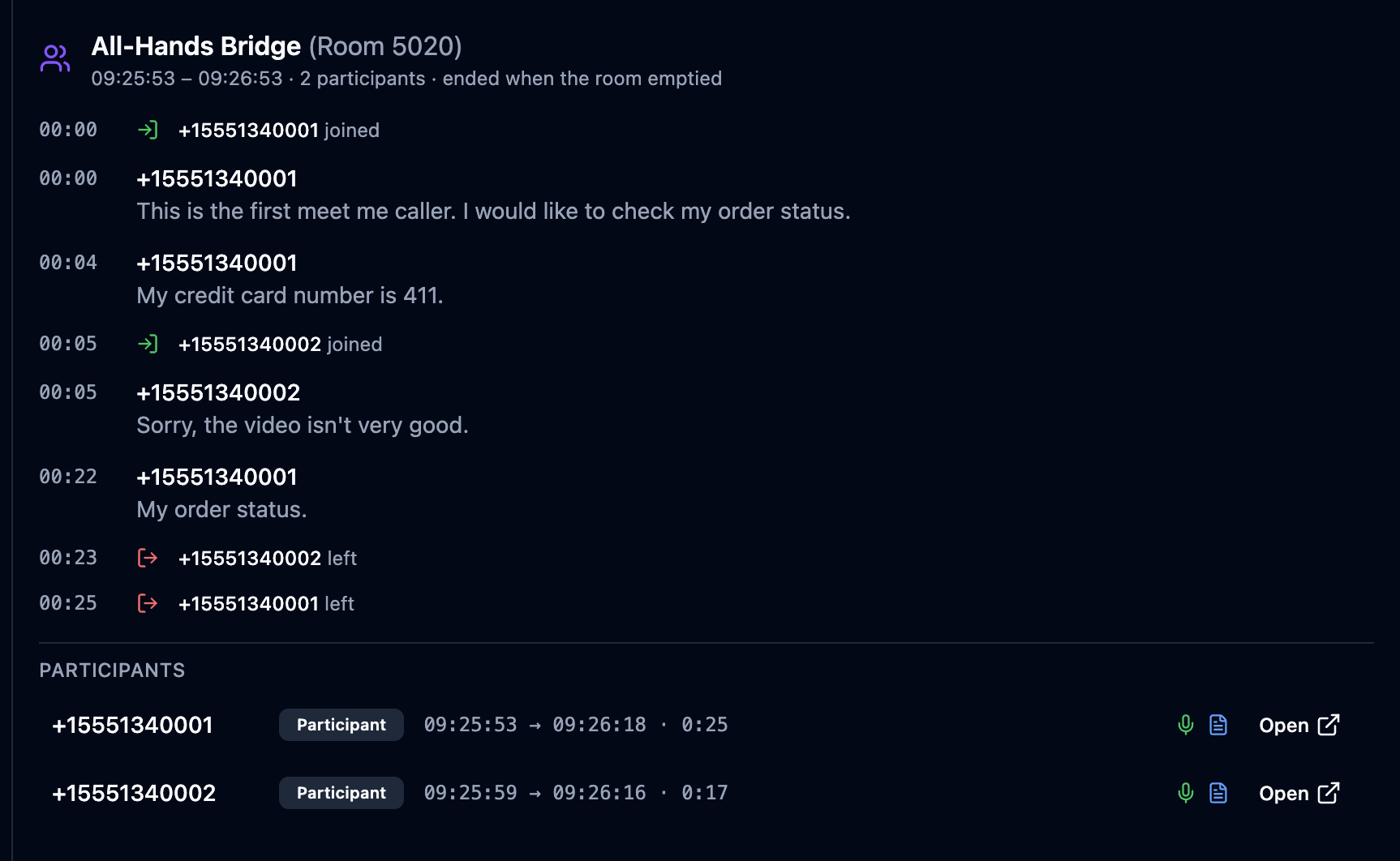
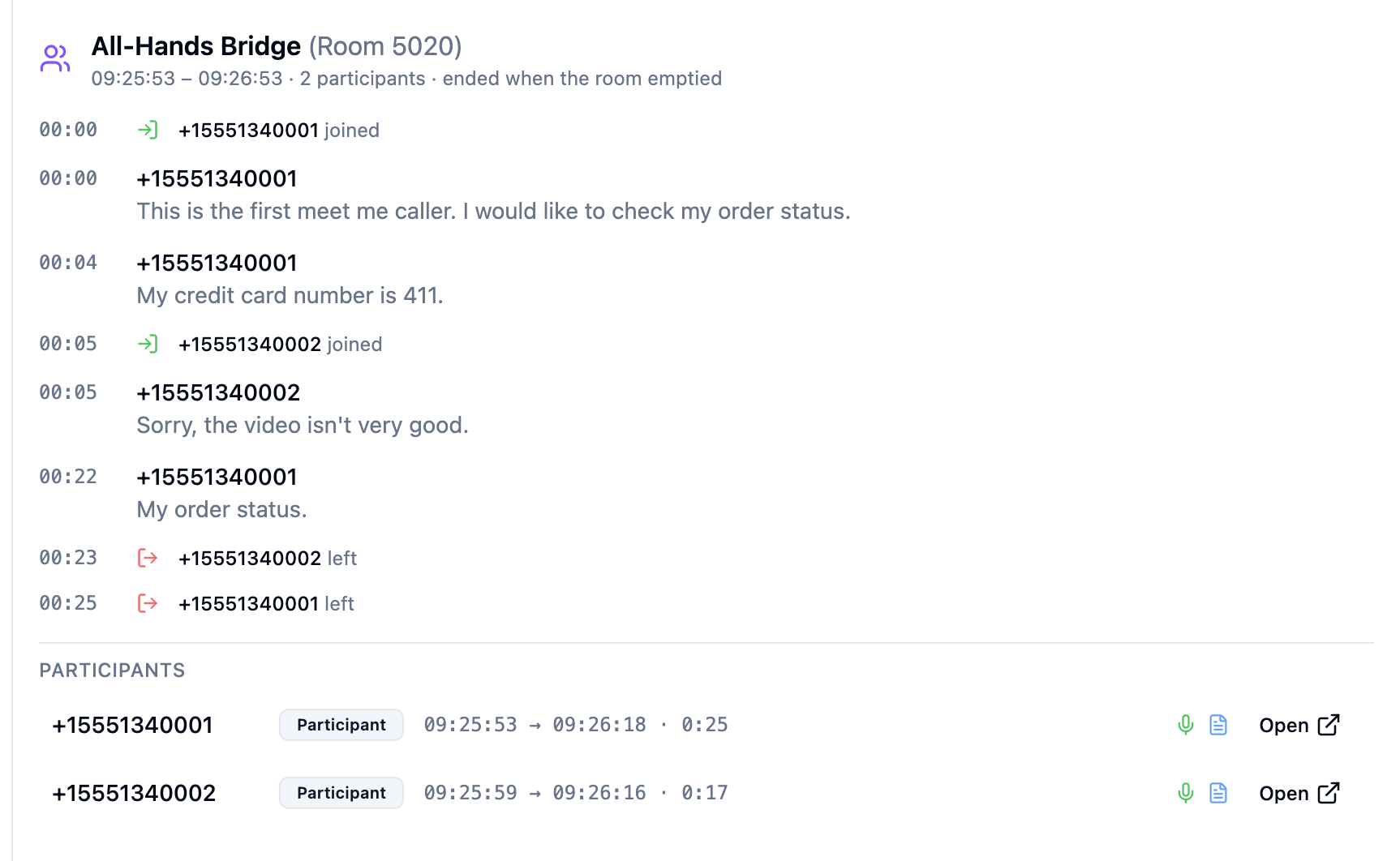
Below the timeline, Participants lists every leg with its role, join and leave times, duration, and its recording and transcript marks. Open goes to that participant's own call record — where a banner points back:


The Meeting tab is the entire conversation. The individual legs are there for when you want to review or evaluate one participant.
8. Licensing and permissions
Meet-Me is licensed in two parts:
| SKU | Metric | What it grants |
|---|---|---|
meetme-conference | Feature | The right to use it: the page, the API and the flow block. |
meetme-ports | Concurrency | Capacity: simultaneous participants across all the rooms in the account. |
Ports, not seats. Nothing on a bridge is per-person in the way a seat is: a single "seat" would have to admit a forty-person room, and the counter would measure nothing. What is consumed is a leg, so that is what is counted. An account with no port licensing at all is unlimited — the feature SKU is the gate.
Six permissions control who can do what:
| Permission | Grants |
|---|---|
meetme.view | See the Meet-Me Rooms page and the rooms. |
meetme.create · meetme.edit · meetme.delete | Manage the rooms themselves. |
meetme.control | Act on a live meeting: lock, mute, remove, end. |
meetme.reveal_pins | Read a stored PIN. |
The last two are deliberately separate from the rest. Configuring a bridge and cutting into a meeting in progress are not the same job, and "who could have walked into that meeting uninvited?" is not a question everybody should be able to answer.